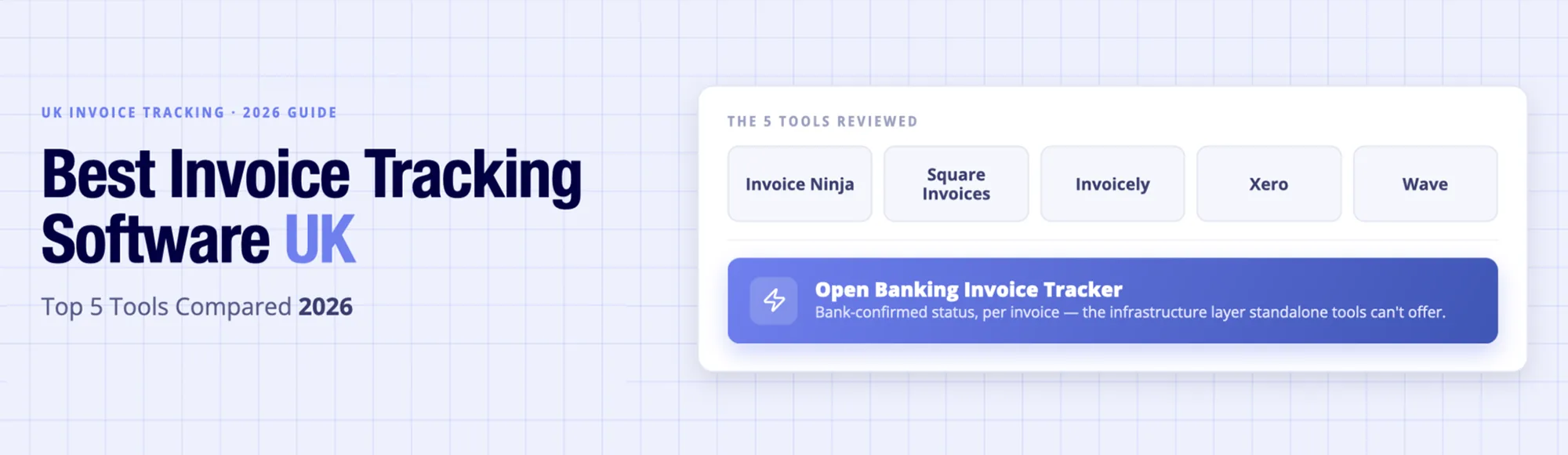
Discover how Finexer’s FCA-authorised Open Banking Invoice Tracker delivers bank-confirmed per-invoice payment status that is platform-native.
The Problem with Invoice Tracking in 2026
When a finance team sends 60 invoices in a month, 20 of which are overdue, 14 paid, 3 of which bear wrong references, which in turn, can be only discovered by comparing them with the bank statement manually. Clients’ assertions and claims of having paid cannot be endorsed or refuted without manual intervention.
That is just sending invoices that are only nominally tracked. Tracking refers to per-invoice status with confirmation by the bank, that is, at the event of funds landing and not being reliant on updates.
What Should UK Finance Teams Look for in Invoice Tracking Software?
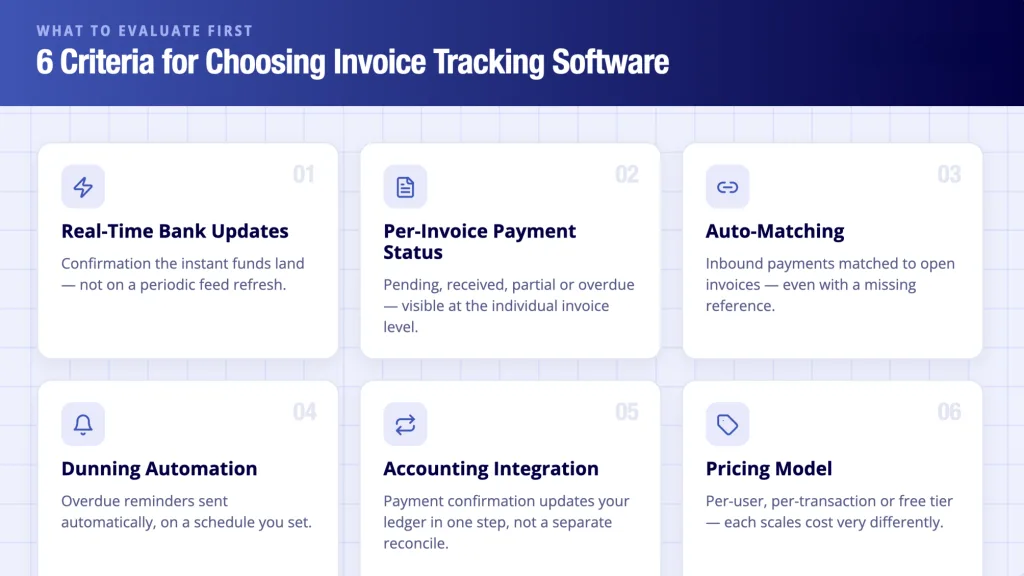
Six parameters separate the trackers that are the real deal from invoice senders:
- Real-time bank updates: Does the tool receive confirmation of payment the instant funds land, or is it reliant on CSV files and periodic feed refreshes?
- Per-invoice payment status: Can you see pending, received, partial, or overdue status at per-invoice level?
- Auto-matching: Does the tool match inbound payments to open invoices routinely even without references?
- Dunning: Does the software send overdue reminders routinely?
- Accounting integration: Does payment confirmation instantaneously update your ledger, or do you have to reconcile invoices and payments separately?
- Pricing model: For heavy users, the model, that is, per-user, per-transaction, or free tier, changes the cost dynamics.
Top 5 UK Invoice Tracking Tools Compared
1. Invoice Ninja

This tool is free and open-source, with self-hosted and cloud alternatives. It covers invoice creation, client websites and payment status updates but only when clients pay via connected gateways (Stripe and PayPal). UK bank transfers update status manually.
Pricing: Free cloud plan (up to 5 clients, unlimited invoices, 1 branded template). Ninja Pro: At $14/month (billed monthly) or $140/year, it removes Invoice Ninja branding and unlocks custom SMTP and 11 invoice templates. Enterprise: Available from $18/month for 2 users to $300/month for 100 users (annual billing), this is a self-hosted, open-source version. It is free, self-hosted and white-label, at $40/year.
Payment processing: Stripe, PayPal, and 40+ gateway integrations. Transaction fees are set by the connected gateway and not by Invoice Ninja.
Key limits: Bank transfer payment status requires manual update. No native UK bank feed. Free plan restricts invoice branding and caps at 1 professional template. Paid plans are priced in USD, with GBP equivalent varying with exchange rate.
This tool is good for temporary/freelance workers and SMEs, who are paid by cards and payment links.
2. Square Invoices
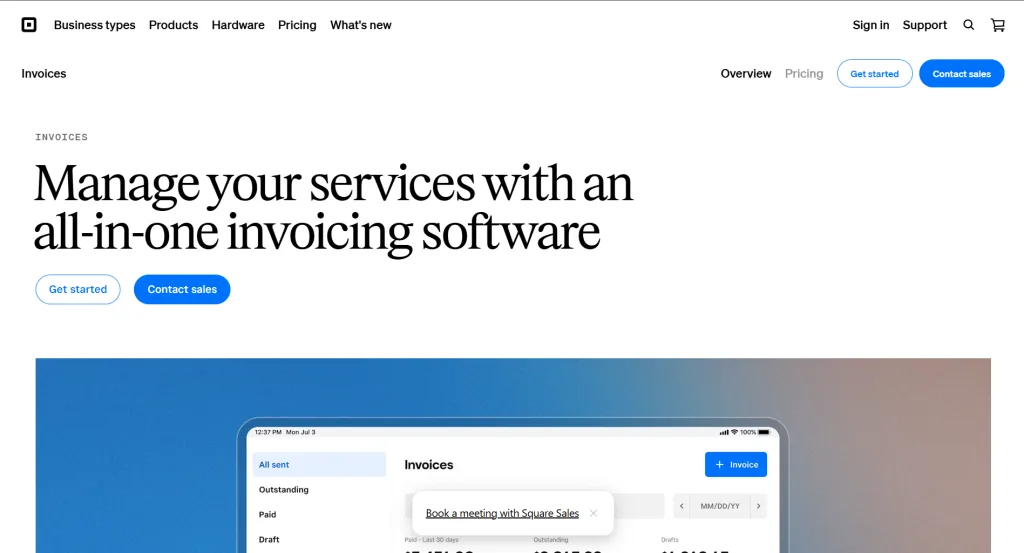
This is part of the Square ecosystem. It works best when its payment links and automated reminders are used by clients to make payments. Bank transfers are the default payment method in the UK when it comes to B2B without being an automated invoice processing tool.
Pricing: Free to send unlimited invoices. No monthly subscription fee for the base plan. Square charges 2.5% per transaction for invoice payments processed via card-on-file or manually keyed card details. UK card processing rates: 1.75% in-person and 1.4% + 25p per UK card for online payments. Square Invoices Plus: At approximately $20/month (USD), it adds payment schedules, milestone billing and advanced invoice customisation. An additional 1.5% international transaction fee applies to cards issued outside the UK (effective April 2026 for existing UK merchants).
Key limits: Invoice payment tracking updates only for payments processed through Square’s system. Bank transfers, which are standard for UK B2B, do not update invoice status automatically. Plus plan is priced in USD; not available as a standalone UK GBP subscription.
This tool is good for retail and hospitality enterprises on Square POS billing accounts.
3. Invoicely
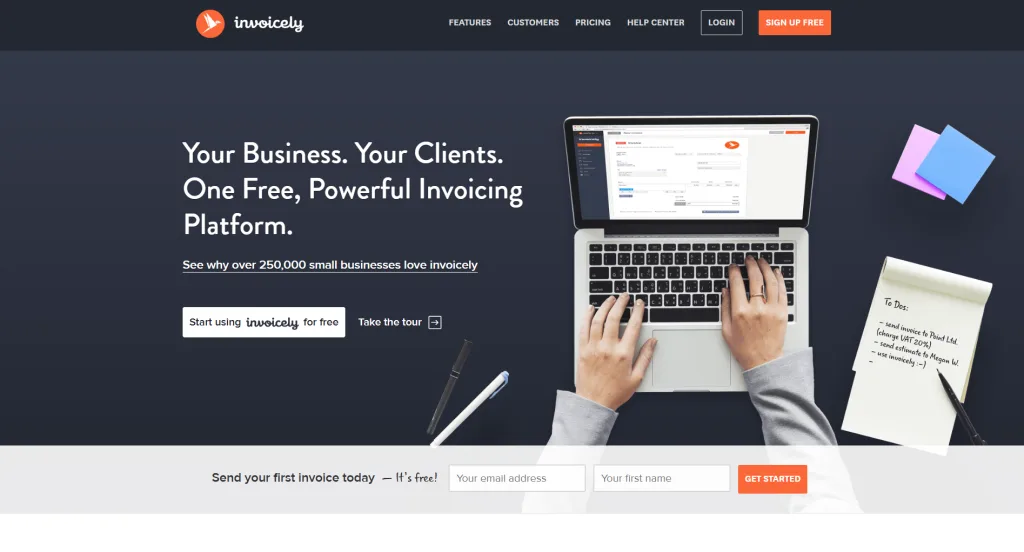
This free-tier tool covers unlimited invoices and Stripe and PayPal payment collections. Gateway payments support per-invoice tracking, whereas bank transfers are tracked manually. The free plan has limited dunning support.
Pricing: The Free plan is effective up to 5 invoices/month, 3 saved clients and is PayPal-only for online payments, with no estimates. Basic: At $9.99/month, it offers 100 invoices/month, 25 clients, 2 team members and estimates and is Stripe and card payments enabled. Professional: At $19.99/month, it covers 250 invoices/month, 100 clients and 10 team members. Enterprise: At $29.99/month, it supports unlimited invoices, full team access and all online payment options. Annual billing discount available on all paid plans. All pricing is in USD.
Key limits: Free plan limits users to 5 invoices per month and PayPal-only payment collection. There are no Stripe or card payments without upgrading. There’s no dedicated mobile app, bank transfer tracking is manual at all plan levels and no UK-specific bank feed integration.
This tool is good for sole traders who send invoices online but collect payment by card or PayPal.
4. Xero
UK SMEs use this cloud accounting platform the most. It supports automated reminders, partial payment and reconciliation. Xero feeds a periodic data connection and not an instant webhook. Payment confirmation is delayed by hours, and invoice reconciliation is still manual (albeit to a minimal extent). This is best suited to accounting and not to real-time confirmation of invoices.
Pricing (UK, excl. VAT): Ignite: At £16/month, it is effective up to 20 invoices and 10 bills per month, bank reconciliation and VAT returns. Grow: At £37/month, it supports unlimited invoices, bank feeds and projects, including payroll. Comprehensive: At £50/month, it is effective up to 5 users, with expanded payroll. Ultimate: At £65/month, it supports up to 10 users, with full payroll. A 30-day free trial is available (no free permanent tier).
Note: Xero has announced a further price increase effective 1 September 2026, with the following add-on costs: payroll from £1.50 per person per month on Grow, expenses from £2.50 per additional user and CIS returns £5/month. A typical two-director limited company on Grow costs approximately £40–45/month before VAT.
Key limits: Bank feed for most UK banks is a periodic data connection and not a real-time webhook. Payment confirmation can lag by several hours. Reconciliation requires a manual match step or rule even on higher plans. The Ignite plan caps invoices at 20/month; that is, most active SMEs need Grow or above.
This tool is good for finance teams that call for full accounting integration but accept bank feed updates every 12 hours.
5. Wave
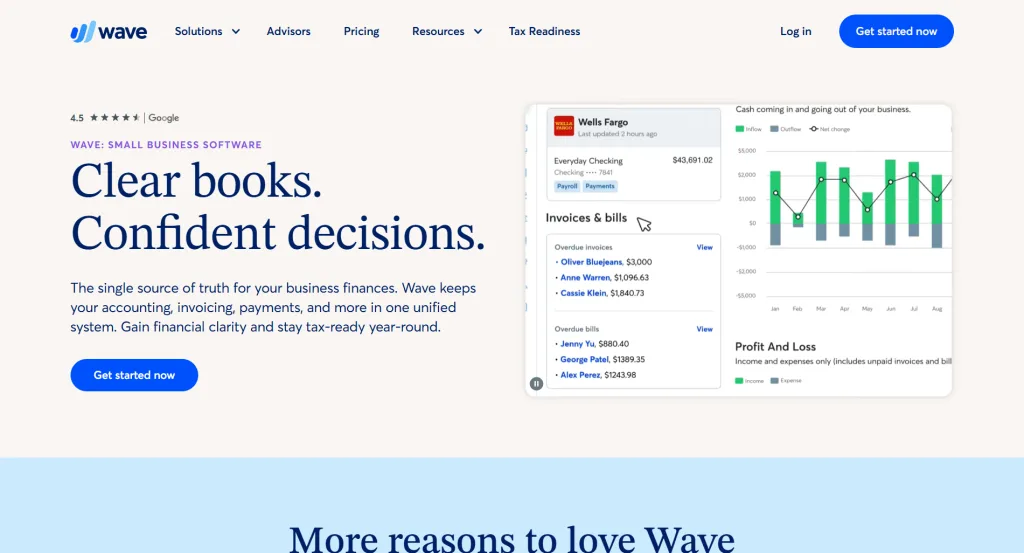
Invoicing and accounting are free. Payment tracking for Wave Payments is Stripe-powered. With limited bank feed and no automation of dunning, the free plan does miss some pertinent features.
Pricing: Starter: It is free, with unlimited invoices, basic accounting, income/expense tracking, bank connections (manual or via Plaid where supported). Pro: At $16/month (USD) or $170/year, it supports automated bank transaction imports, multi-user access (unlimited editors) and removes Wave branding from invoices. Payment processing (Stripe-powered) is at 2.9% + $0.60 per credit/debit card transaction and 3.4% + $0.60 for Amex. All plan pricing is in USD.
Key limits: Wave is a US- and Canada-first product. Payroll is not available for UK businesses. UK bank feed connectivity depends on Plaid support for your specific bank — not all UK banks are covered. No dunning automation on the free plan. Customer support is email-only for free users, with frequently reported slow response times. Businesses processing physical goods or needing inventory tracking will find Wave’s feature set insufficient.
This tool is good for sole traders looking for free invoicing and rudimentary payment status visibility.
Comparison Table
| Tool | Free Tier | Real-Time Bank Feed | Auto-Matching | Dunning | UK Bank Integration |
|---|---|---|---|---|---|
| Invoice Ninja | Yes | No | Gateway-only | Basic | No |
| Square Invoices | Yes | No | Square payments only | Yes | No |
| Invoicely | Yes | No | Gateway-only | Limited | No |
| Xero | Trial only | Periodic (12-hr delay) | Manual rules | Yes | CSV / OB feed (delayed) |
| Wave | Yes | Limited | Gateway-only | No | Limited |
The Gap: Why Do CSV Bank Feeds Break Real-Time Tracking?
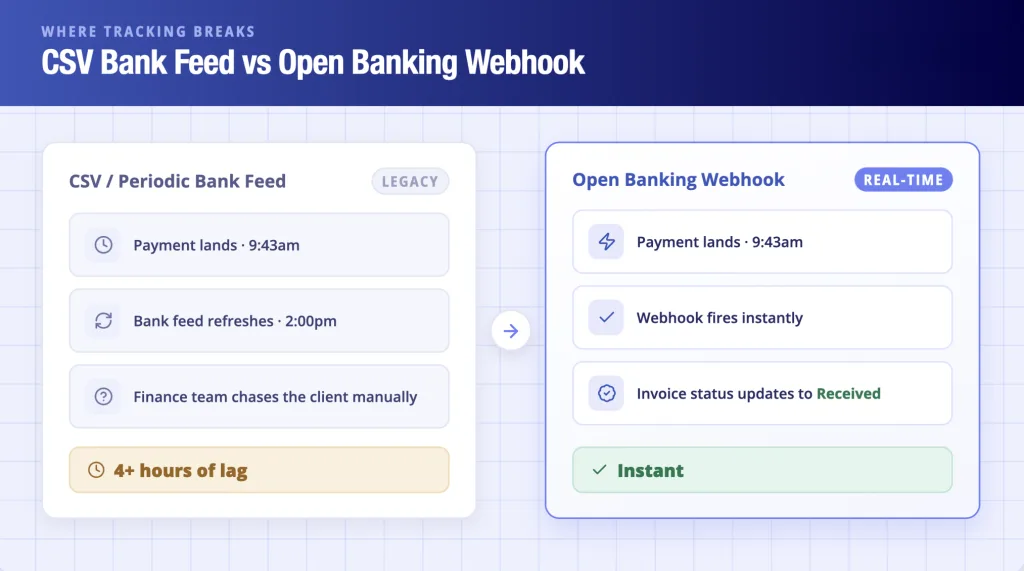
Each of the tools reviewed here depends on payment gateway confirmation or a bank feed that refreshes periodically. None of the tools reviewed here provide instant bank-confirmed payment visibility in their standard configuration.
Say, when a client pays a £18,500 invoice at 9.43am, but your Xero feed updates at 2pm, your finance team scrambles to contact the client before they get wind of the payment. In real-time tracking, a bank payment event applies a webhook the instant funds land, not when the feed refreshes.
Learn how Open Banking powers invoice tracking, enabling platforms to receive bank-confirmed payment events, real-time webhooks, and instant invoice status updates without relying on delayed CSV feeds.
Finexer Open Banking Invoice Tracker: Real-Time Status as Infrastructure
Finance teams are blind-sided between the moment the invoice is sent and the moment the bank’s payment confirmation is notified to them. Finexer’s Open Banking Invoice Tracker bridges that gap not just as an invoicing provider but as an FCA-authorised Open Banking infrastructure (FRN925695, authorised as both AISP and PISP) embedded by platforms to provide their users with instant bank-confirmed invoice status.
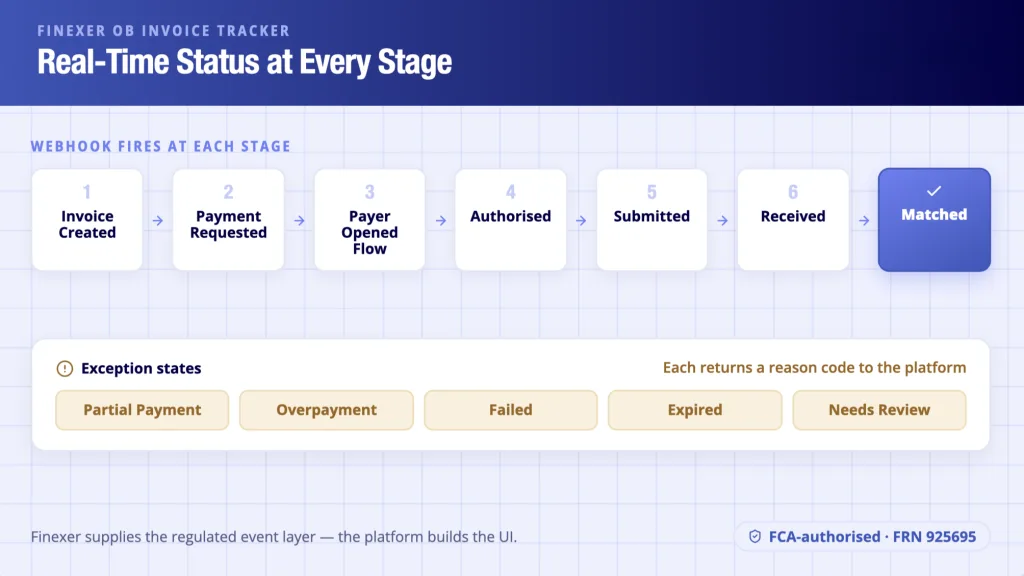
Upon receiving a payment request, Finexer’s PIS layer initiates a Pay by Bank flow, where the payer authenticates and approves directly with their bank, and the payment, moving through Faster Payments, lands in the payee’s account, even as Finexer’s AIS monitors the payee’s bank account and applies a webhook at each stage:
Invoice Created → Payment Requested → Payer Opened Flow → Authorised → Submitted → Received → MatchedException states: Partial Payment, Overpayment, Failed or Rejected, Expired, Needs Review, each of which returns a reason code for Finance, with the platform building the UI and Finexer providing the regulated data and event layer.
- Finexer’s coverage extends to 99% UK banks (Barclays, HSBC, NatWest, Lloyds, Monzo, Starling, Revolut and more)
- It is an FCA-authorised AISP and PISP (FRN925695)
- The infrastructure layer applies real-time webhooks at each invoice status change (no polling required)
- Its usage-based pricing means that platforms pay for what they use and not a flat, enterprise charge
- The company’s service is white-label in that end users only see the platform’s brand and not Finexer’s.
- From integration start to go-live, it provides 3 to 5 weeks of onboarding support.
What Is a Settlement Invoice?
A settlement invoice is the final invoice conveying full discharge of a financial obligation. UK construction dubs this the JCT Final Account that is issued after practical completion, providing confirmation of full payment of the contracted sum and of closing the financial relationship between contractor and client. In legalese, it is the bill issued on the closing of a case, confirming the settlement of all fees and disbursements.
A settlement invoice is of particular import and significance. Contractually and sometimes legally significant, they mean confirmation of payment actually having landed and not just of a payment link having been clicked, which is part of the subject matter for audit and compliance requirements.
Finexer’s AIS layer provides confirmation instantaneously. When the final payment arrives against the payee’s bank account receivables, a webhook is applied, the transaction is matched to the open settlement invoice and the status is updated to Matched, cross-referenced with bank records instantly.
Where the payment amount is not congruent to the invoice total, a Partial Payment exception state is applied with a reason code, such that finance teams receive notification instantly, without the shortfall being the subject matter of discovery in manual reconciliation.
What is the best free invoice tracking software in the UK?
When it comes to free options, Invoice Ninja and Wave are the strongest contenders, both of which track payment status of clients who pay by way of connected gateways, and neither of which afford real-time confirmation, instead relying on a manual update.
Does Xero provide real-time invoice payment tracking?
Xero feeds most UK banks with a periodic connection, not real-time, with confirmation of payment delayed by hours. Instant bank-level confirmation mandates an Open Banking infrastructure layer.
What is the difference between invoice tracking and invoice reconciliation?
Invoice tracking monitors per-invoice payment status in real, near-real, or legacy time, categorizing them as pending, received or overdue. Invoice reconciliation, which can be automated or manual, matches payments received against open invoices in most accounting ledgers. Tracking is a status view, whereas reconciliation is an accounting step.
How does Open Banking improve invoice tracking?
Open Banking allows FCA-authorised providers to monitor bank account receivables automatically in real time and apply webhooks the instant a payment lands, which does away with the lag necessitated by CSV files and near-real-time status refreshes.
If your platform still depends on CSV bank feeds for invoice payment confirmation, to see how Finexer’s OB Invoice Tracker delivers instant bank-confirmed status per invoice, without the feed delay.
Explore with AI
About the Author

Ravi Ranjan
Ravi Ranjan is Co founder & CEO of Finexer