Flexible recurring payments. Customer-controlled consent. Open Banking payment infrastructure.
VRP workflows for platforms replacing rigid Direct Debit models.
Most finance teams don’t buy invoice management tools because creating invoices is difficult. They buy them because once invoices are sent, visibility starts to disappear.
A customer says they’ve paid. The bank balance changes. The accounting system still shows the invoice as outstanding. Someone checks the bank manually, exports a CSV or waits for the next bank feed before updating the ledger. As invoice volumes grow, those delays lead to unnecessary payment reminders, slower reconciliation and unreliable cash-flow reporting.
That’s why modern invoice management tools are expected to do more than generate invoices. They must help businesses manage the entire invoice management process, from issuing an invoice through payment confirmation and reconciliation.
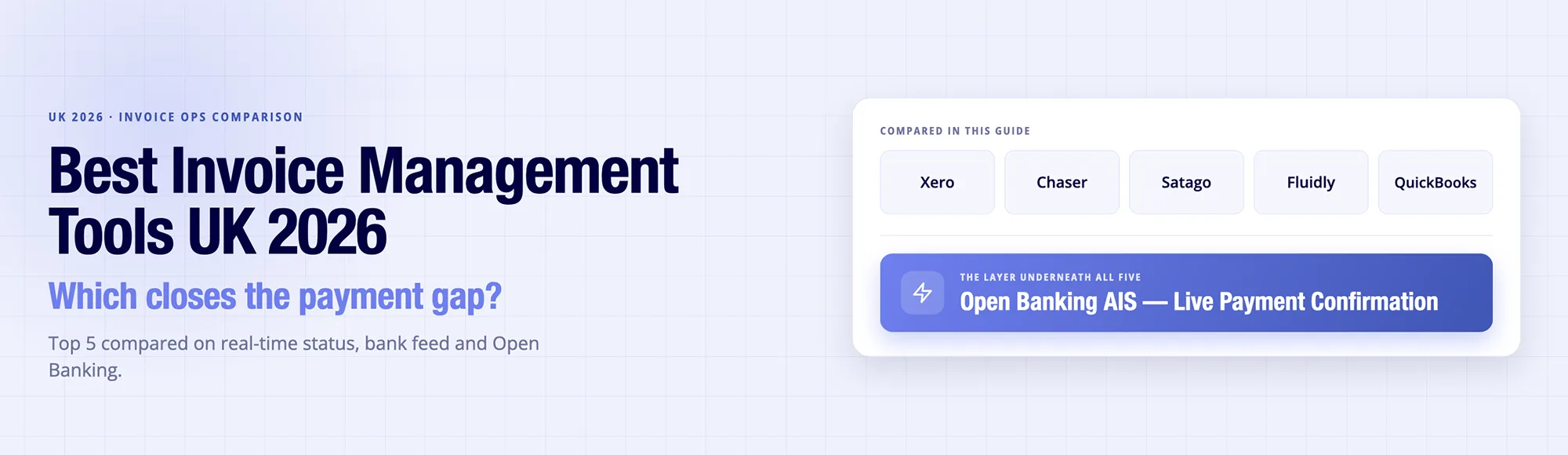
TL;DR: An invoice management tools covers the full invoice lifecycle, from created, sent and paid to reconciled, not just status tracking. Xero, Chaser, Satago, Fluidly and QuickBooks lead the UK market, but all rely on CSV or periodic bank feeds, which leaves a status gap between payment and confirmation. Finexer’s OB Invoice Tracker closes that gap with Open Banking AIS, with matching platforms built on top of, not replacing these tools.
Ravi, Head of Platform Partnerships, Finexer
“The software isn’t usually where invoice visibility breaks down. Most finance teams already have good invoicing and approval workflows. The delay starts when payment confirmation depends on scheduled bank feeds instead of live bank events. That’s the gap Open Banking is beginning to close.”
What Is an Invoice Management Tool?
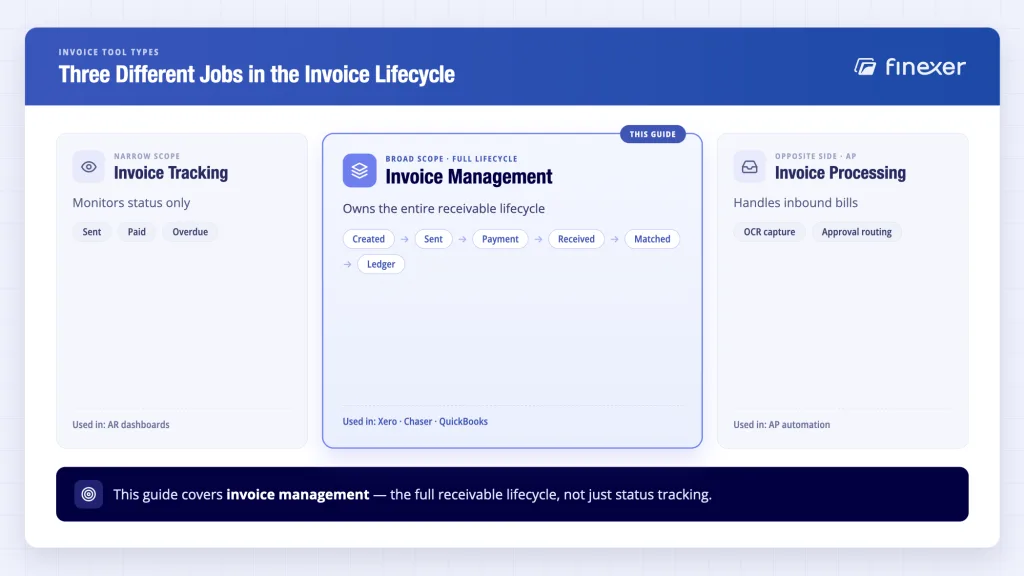
An invoice management tool covers the invoice’s full lifecycle: created, sent, a payment triggered, payment received, matched against the bank transaction, and status updated in the ledger.
That’s a different job from invoice tracking software, which only monitors status (sent, paid, overdue) without owning the payment or matching step. It’s also different from invoice processing software, which focuses on the accounts payable side, that is, OCR data capture and approval routing for bills coming in, not invoices going out. A management tool sits across the whole receivable lifecycle, not one stage of it.
What to Look for in an Invoice Management Tools?
Five criteria separate tools that genuinely close the visibility gap from ones that just look tidy.
- Real-time payment status visibility: Does the tool update on a webhook when a payment event happens, or does a user have to manually refresh or export a report to find out?
- Bank feed type: A CSV import that runs once or twice a day leaves a window where the invoice looks unpaid when it isn’t. An Open Banking AIS feed pulls transaction data in real time.
- Auto-matching accuracy: Does the system match payments to invoices using reference, amount and counterparty together, or just amount alone (which fails the moment two invoices share a value)?
- Dunning and AR automation: How much of the chasing process (reminders, escalation and dispute flagging) runs without a person triggering it manually?
- Accounting software integration: Does it sync cleanly with Xero, QuickBooks or Sage, or does it require a parallel system finance teams have to reconcile against the accounting record?
Top 5 Invoice Management Tools in the UK
1. Xero
Xero remains the market-leading cloud accounting ledger in the UK, designed to handle everything from standard invoicing to full-scale double-entry bookkeeping and MTD compliance.
- 2026 Pricing (excl. VAT):
- Ignite: ~£18/mo (Sole traders; limited to 20 invoices/mo).
- Grow: ~£39/mo (Unlimited invoices, bulk reconciliation).
- Comprehensive: ~£55/mo (Adds multi-currency and expense claims).
- Ultimate: ~£70/mo (Adds project tracking and advanced analytics).
- Note: Payroll is an add-on (£1.50 per employee/mo).
- Key Features: Customisable invoicing, built-in MTD (Making Tax Digital) submissions, Hubdoc receipt capture, and a massive ecosystem of third-party app integrations.
- Pros: Highly intuitive, beautiful UI, and acts as a single source of truth for your entire business.
- Cons: Basic plans have strict invoice limits. Bank feeds rely on periodic batch syncing rather than true real-time data pushes.
- Best for: SMEs and accounting practices that want a reliable, all-in-one ledger as their foundational financial software.
2. Chaser
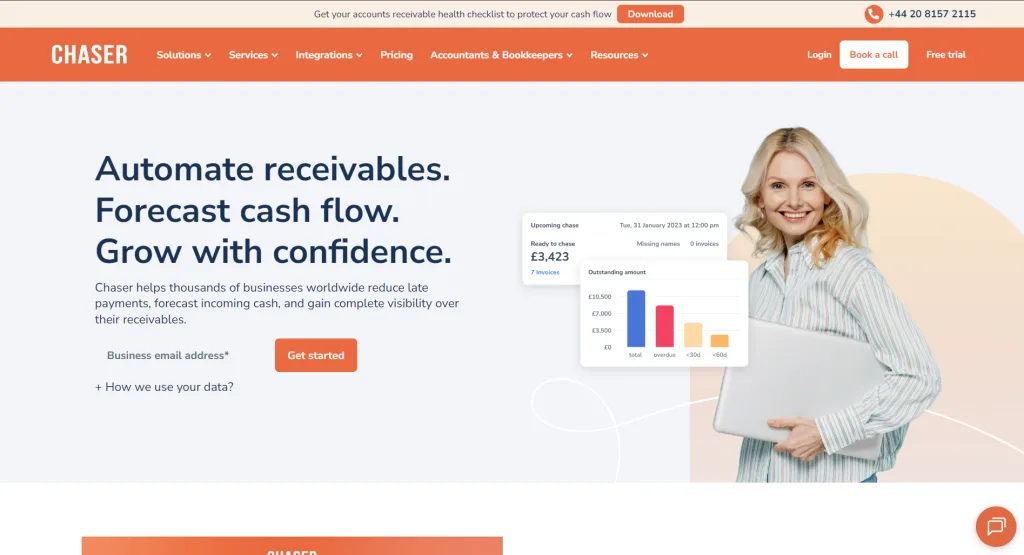
Chaser is an elite Accounts Receivable (AR) automation tool. It doesn’t replace Xero or QuickBooks; it sits on top of them to aggressively, yet politely, chase down late payments.
- 2026 Pricing:
- Compact: ~£199/mo (Up to 4 users, 4 automated workflows).
- Core: ~£599/mo (Unlimited users/workflows, multi-entity).
- Complete: ~£899/mo (Dedicated account manager, priority support).
- Key Features: AI payment prediction (flags who will pay late), automated multi-channel chasing (email, SMS, and even AI Auto-Dialer phone calls), credit checking, and automated late fees.
- Pros: Delivers quantifiable ROI (users report getting paid 54+ days sooner and reducing DSO by 75%). The AI personalises communication so it doesn’t feel like a bot.
- Cons: Expensive starting price makes it hard to justify for very small startups.
- Best for: Finance teams in mid-sized businesses whose biggest hidden cost is the sheer amount of staff time spent manually chasing debtors.
3. Satago
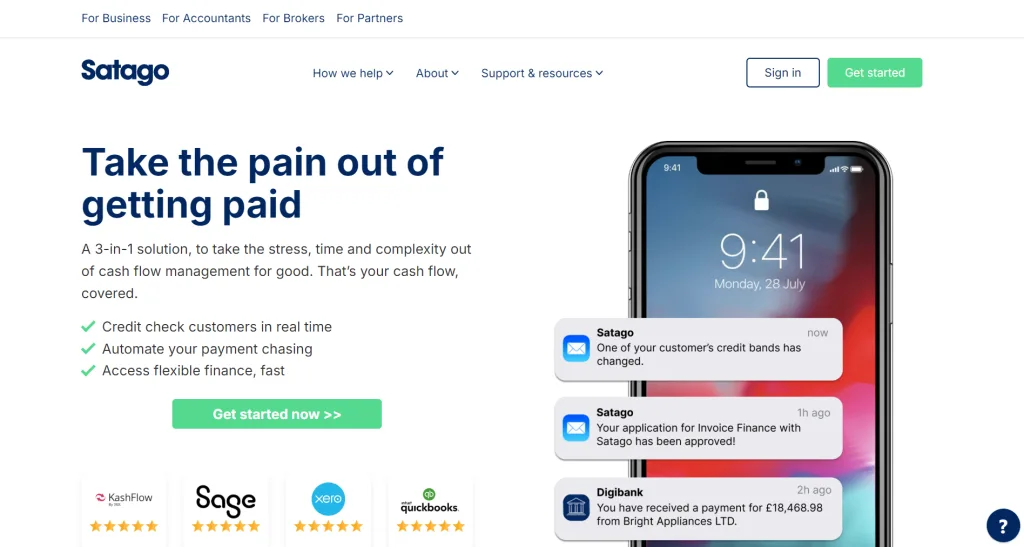
Satago is a unique hybrid that combines automated credit control with on-demand invoice financing and credit risk reporting.
- 2026 Pricing: Starts at ~£83/mo for the standard software tier (financing fees for advancing invoices are separate and based on the risk profile).
- Key Features: Automated payment reminders, full integration with Experian for real-time credit checking/limits, and a “Finance this Invoice” button that requires a single click.
- Pros: Fixes cash-flow gaps instantly. If you cannot wait for a client to pay, Satago will advance you the funds for the overdue invoice directly within the platform.
- Cons: The UI can feel a bit rigid compared to modern competitors, and navigating large client lists can occasionally be clunky.
- Best for: B2B businesses dealing with long payment terms (30-90 days) that need immediate cash-flow liquidity and credit risk visibility.
4. Fluidly
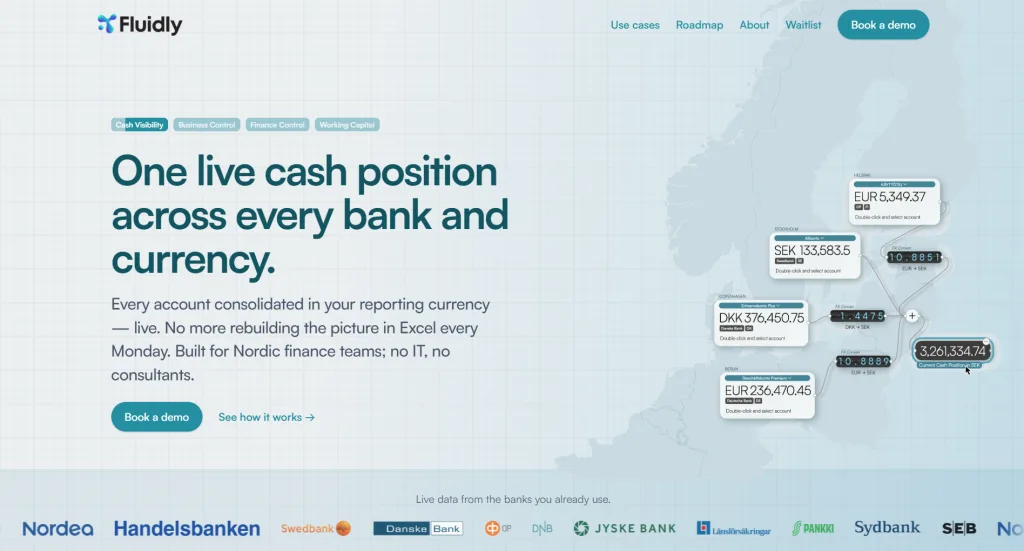
Fluidly (now backed by OakNorth) leans heavily into AI-driven cash-flow forecasting, visualising the future rather than just reporting the past.
- 2026 Pricing: Starts at ~£25/mo.
- Key Features: AI cash-flow predictions based on historical bank/ledger data, scenario modeling (e.g., “What if we hire two people next month?”), and basic debtor CRM/credit control.
- Pros: Replaces complex, fragile Excel models. It builds a rolling cash-flow forecast in minutes by reading your accounting software’s data.
- Cons: Its AR chasing features are less aggressive and comprehensive than a dedicated tool like Chaser.
- Best for: CFOs and finance leaders who need to plan for growth, secure funding, or model out cash crunches months before they happen.
5. QuickBooks (UK)
QuickBooks is Xero’s main rival, offering a comprehensive, robust accounting suite with deep workflow automation.
- 2026 Pricing (excl. VAT):
- Simple Start: ~£16/mo.
- Essentials: ~£33/mo (Adds multi-currency, bill management).
- Plus: ~£47/mo (Adds stock management, project profitability).
- Advanced: ~£115/mo (Adds batch invoicing, automated workflows).
- Key Features: Deep inventory tracking, highly customisable report builders, batch invoicing, and a built-in cash flow planner.
- Pros: Scales brilliantly for product-based businesses. The Advanced tier offers enterprise-level role permissions and bulk processing.
- Cons: The interface has a steeper learning curve than Xero. Payment processing via standard card rails incurs high transaction fees.
- Best for: Growing SMEs, particularly those managing physical inventory or complex project budgets, who want everything native to one system.
The Difference Between Invoice Tools That Track and Tools That Manage
While the five platforms discussed excel at ledger management and workflow automation, they naturally face limitations because they operate on top of legacy payment infrastructure.
How Finexer’s Open Banking Layer Addresses These Gaps
Instead of replacing your accounting workflows, Finexer introduces an Open Banking API layer that solves the underlying payment and data bottlenecks inherent in traditional tools.
- 1. Optimizing Processing Costs (A2A vs. Card Rails) When platforms like Xero or QuickBooks embed a “Pay Now” button on an invoice, they typically route payments through legacy processors. This subjects the business to credit or debit card processing fees that scale heavily on high-value B2B transactions.
- The Open Banking Approach: Finexer utilizes Payment Initiation Services (PISP) to facilitate Account-to-Account (A2A) payments. By bypassing traditional card networks entirely, it significantly reduces the cost of settling large invoice balances.
- The Open Banking Approach: Finexer utilizes Payment Initiation Services (PISP) to facilitate Account-to-Account (A2A) payments. By bypassing traditional card networks entirely, it significantly reduces the cost of settling large invoice balances.
- 2. Moving from Delayed Syncing to Real-Time Settlement Traditional software relies on periodic bank feed syncing. If a client settles an invoice on a Friday, the transaction might not reflect in the ledger until the following Monday, leaving a weekend blind spot for cash flow visibility.
- The Open Banking Approach: Through real-time Account Information Services (AIS), Finexer enables instantaneous data aggregation and payment settlement. Cash reflects in the account immediately, allowing for real-time reconciliation.
- The Open Banking Approach: Through real-time Account Information Services (AIS), Finexer enables instantaneous data aggregation and payment settlement. Cash reflects in the account immediately, allowing for real-time reconciliation.
- 3. Removing Payer Friction from the Checkout Process Accounts receivable tools like Chaser or Fluidly are highly effective at automating reminders, but the debtor is still often left to manually log into their corporate banking portal, copy-paste account numbers, and type out reference strings. This manual step introduces delays and human error.
- The Open Banking Approach: Finexer introduces a streamlined “Pay by Bank” checkout. Debtors simply click the invoice link, authorize the pre-filled payment securely via their own banking app (using FaceID or TouchID), and complete the transfer in clicks.
- The Open Banking Approach: Finexer introduces a streamlined “Pay by Bank” checkout. Debtors simply click the invoice link, authorize the pre-filled payment securely via their own banking app (using FaceID or TouchID), and complete the transfer in clicks.
- 4. Embedding Native Identity and Fraud Protection Standard invoicing platforms lack native identity verification or Know Your Customer (KYC) checks, requiring finance teams to run separate manual verifications to mitigate B2B fraud risk.
- The Open Banking Approach: Finexer integrates bank-level identity verification directly into the workflow. Businesses can confirm a client’s legal identity against verified banking data before extending credit terms or issuing the first invoice.
Summary: Tools like Xero and Chaser are essentially the brain (the ledger) and the voice (the chaser) of invoice management. The approved Finexer Verification capabilities are: bank-based name verification, facial recognition (selfie vs passport), document data extraction, and verification reports.Comparison Table
| Tool | Real-Time Status | Bank Feed Type | Auto-Matching | Dunning / AR | Open Banking Integration | Best For |
|---|---|---|---|---|---|---|
| Xero | Periodic | Standard bank feed | Amount-based | Basic reminders | No | Accounting-first SMEs |
| Chaser | Periodic (via accounting sync) | Inherits host system feed | Reference-assisted | Full automation | No | AR chasing at scale |
| Satago | Periodic | Inherits host system feed | Amount-based | Moderate | No | Cash-flow visibility |
| Fluidly | Periodic | Inherits host system feed | Amount-based | Light | No | CFO-level forecasting |
| QuickBooks | Periodic | Standard bank feed | Amount-based | Basic reminders | No | QuickBooks ecosystem users |
The Open Banking Gap
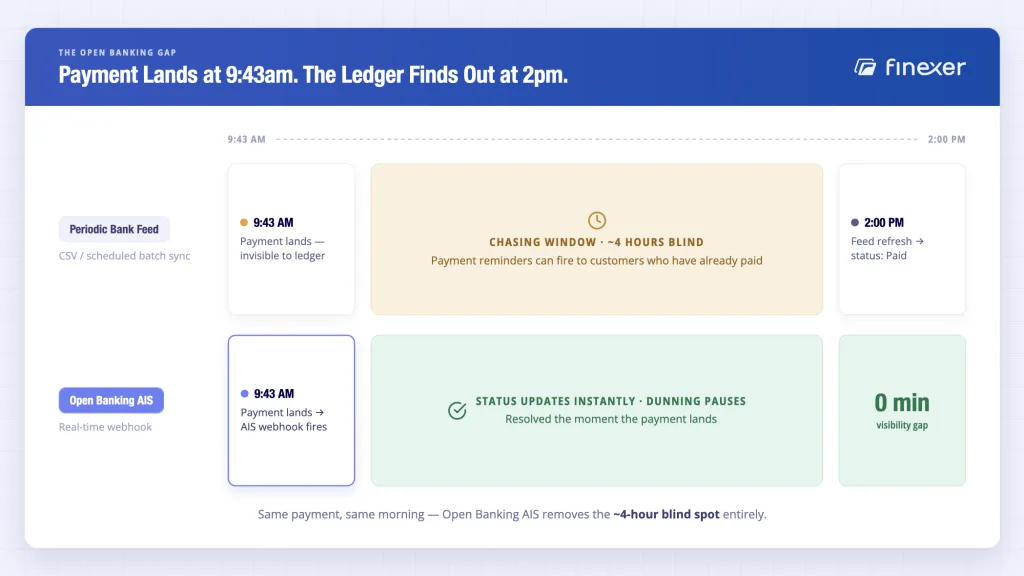
Every tool in that table shares one limitation: the bank data underneath it arrives on a delay, not on an event. A standard bank feed or CSV import refreshes periodically, once or twice a day for most UK banks, which means a payment can land at 9.43 am and the invoice still shows “unpaid” hours later. For a finance team chasing 100+ invoices, that gap is the difference between a confident dunning process and one that emails customers who already paid.
Open Banking AIS resolves this differently: a bank data API connection reads the receiving account directly, and a webhook fires the moment a matching transaction lands, checked against amount, reference and counterparty through the invoice matching process, not just a single field. The status updates because a payment event happened, not because someone ran a reconciliation job.
Finexer’s OB Invoice Tracker
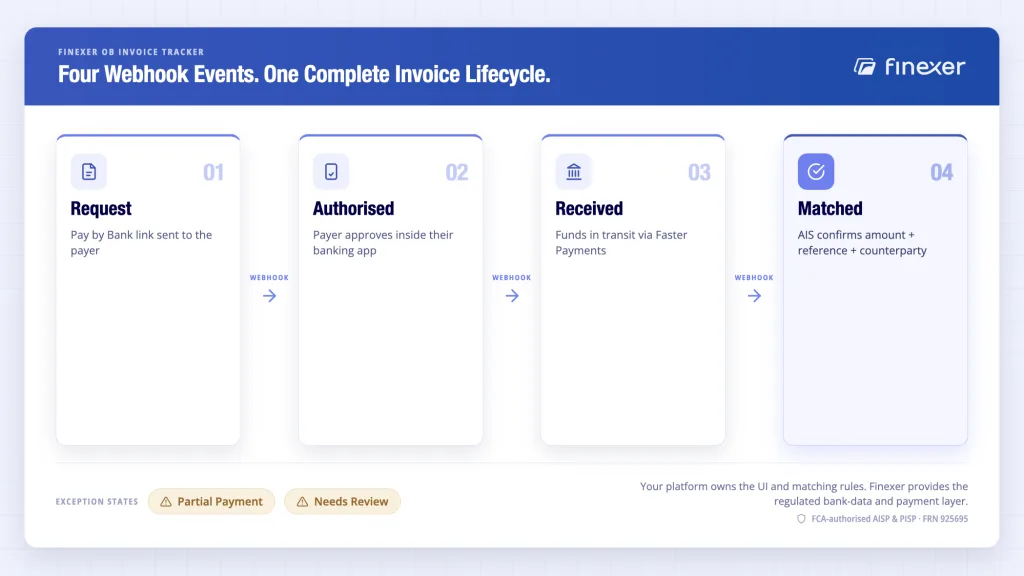
Finance teams running invoice management on a periodic bank feed are working with a status that’s already stale by the time they act on it.
Finexer’s Open Banking Invoice Tracker combines Pay by Bank with AIS matching to give a single, real-time invoice lifecycle: Request → Authorised → Received → Matched, with each transition delivered by webhook the moment it happens. The platform owns the UI, the matching rules and the customer workflow, while Finexer provides the regulated bank-data and payment layer underneath it. It is not a sixth tool to add to the list above; it’s the infrastructure layer the next generation of invoice management tools gets built on.
- Invoice-linked Pay by Bank requests with a unique payment reference
- AIS-matched payment confirmation, checked against amount, reference and counterparty
- Signed webhook events for every status change, with delivery logs
- Exception states out of the box, including Needs Review for low-confidence matches
- 99% UK bank coverage
- FCA-authorised AISP and PISP (FRN 925695)
- Usage-based pricing
What Is the Invoice Management Process?
The invoice management process is the sequence an invoice moves through from creation to settlement: created, sent to the payer, a payment triggered, payment received, matched to the bank transaction, and the ledger updated.
In most UK businesses, this runs across two disconnected systems, the invoicing tool that issues and tracks the document and the bank account that actually receives the money. The handoff between the two is where delays and chasing emails originate, because the invoicing tool only knows what the bank feed tells it, and that feed is rarely live.
Open Banking AIS shortens that handoff to a webhook rather than a daily import, so the invoice management process reflects what the bank account shows in real time rather than what it showed yesterday. For accounts receivable automation built around this same real-time signal, the dunning and escalation rules only fire on accurate, current data.
What is the best invoice management tool in the UK?
There’s no single best tool: Xero and QuickBooks suit accounting-first SMEs, Chaser suits teams focused on AR chasing, and Satago or Fluidly suit businesses that need cash-flow forecasting alongside invoice status. The right choice depends on whether accounting, chasing or forecasting is the primary need.
How does the invoice management process work?
An invoice is created, sent to the payer, a payment is activated, the payment is received, it’s matched against the bank transaction, and the status updates in the ledger. Most delays happen at the matching step, where bank data arrives on a periodic feed rather than in real time.
Can Open Banking improve invoice management?
Yes. Open Banking AIS reads the receiving bank account directly and fires a webhook the moment a matching payment lands, replacing the periodic CSV or bank-feed refresh most invoice tools rely on. This turns invoice status into a real-time signal rather than a daily approximation.
What is the difference between invoice tracking and invoice management?
Invoice tracking only monitors status, whether it be sent, paid or overdue. Invoice management covers the full lifecycle, including activating the payment, matching it to the bank transaction, and updating the ledger automatically.
Can platforms build their own invoice management tool with Open Banking?
Yes. Finexer’s AIS and PIS provide the regulated data and payment layer, invoice-linked payment requests, webhook status events and bank-matched confirmation, with which a platform can build its own invoice management workflow on top of, rather than relying on a third-party tool’s release cycle.
See how Finexer Invoice reconciliation tracker gives your platform real-time invoice lifecycle status, from Pay by Bank initiation to bank-matched payment, via webhook
Explore with AI
About the Author

Ravi Ranjan
Ravi Ranjan is Co founder & CEO of Finexer