Minimise manual steps in payroll payouts.
Execute the payroll payment with the status of every employee payment.
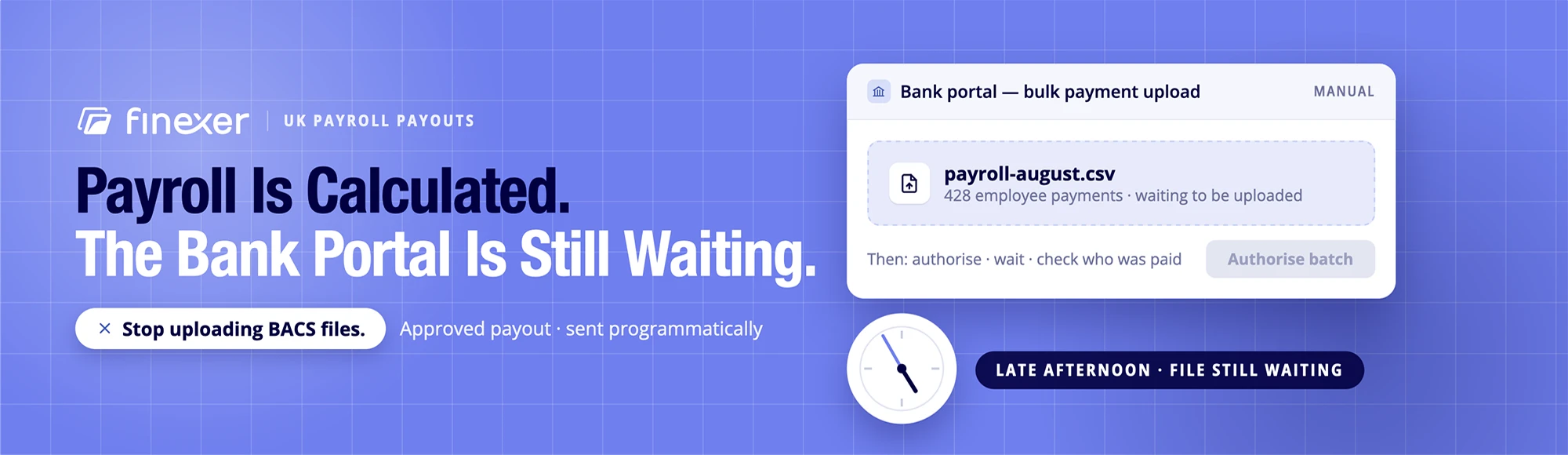
Let’s suppose the payroll calculation is finished at 4:55pm; the real work is still waiting in the wings in a bank portal today.
When someone exports the payment file, uploads it and authorises it, they check which employees were actually paid.
TL;DR: To automate payroll payments, remove that manual step. The right set-up sends approved payment instructions programmatically, returns a status for each payment and feeds bank data back into reconciliation. It does not remove approval controls or the need to maintain accurate employee bank details.
This guide focuses on the payment layer rather than payroll calculation. Finexer is an FCA-authorised Open Banking infrastructure provider. It does not calculate PAYE, National Insurance or pensions, file RTI or produce payslips.
Where Manual Payroll Payment Actually Starts
A large section of payroll systems automate the calculation stage. The operational gap appears after the payroll payout receives approval.
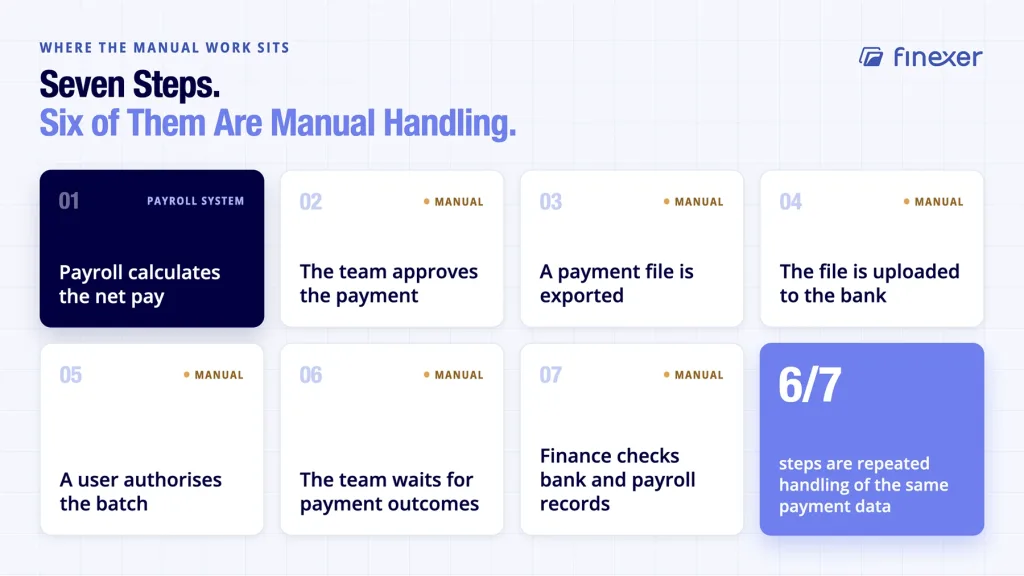
A typical manual flow looks like this:
- Payroll calculates the net pay.
- The team approves the payment.
- A payment file is exported.
- The file is uploaded to the bank.
- A user authorises the batch.
- The team waits for payment outcomes.
- Finance checks the bank and payroll records against each other.
It is also why automated payroll software and automated payroll payments are not one and the same. Payroll software can automate gross-to-net calculations, statutory deductions, reporting and payslips while the payment itself still depends on a file-based banking workflow.
For a closer look at the wider payment layer, see our guide to payroll processing.
What Changes When You Automate Payroll Payments?
The aim is not to remove people from the process. It is to remove unnecessary handling of the same payment data.
With payment automation, the approved payroll output becomes the starting point for the payment instruction. The payment service executes the payout and then returns a status against each payment.
The distinction matters most when a payout contains hundreds or thousands of employees.
If three payments fail, finance should be able to identify those three rather than investigate an entire batch. That is the practical value of per-payment status.
Finexer’s payment-status model uses webhooks to push state changes to the platform rather than requiring the platform to repeatedly ask whether each payment has changed. That approach is useful when a payroll or accounting platform needs payment events inside its own workflow.
BACS vs Faster Payments: Why the Digital Rail Matters
Automation does not change the underlying digital payment rail. The payment rail determines how the payment moves, when it can be submitted and what the operational workflow looks like.
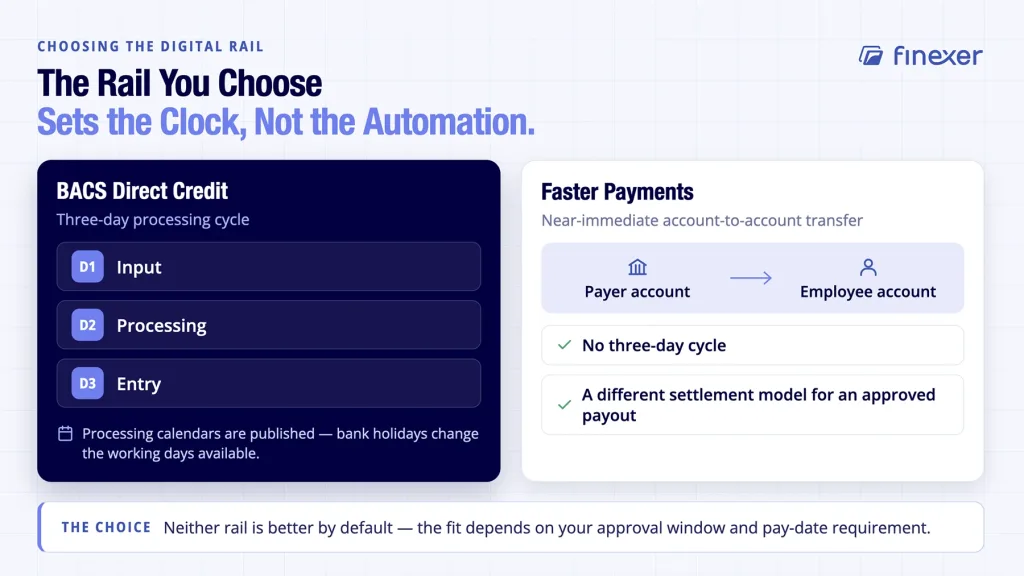
BACS Direct Credit uses a three-day processing cycle: input, processing and entry. BACS also publishes processing calendars, which matter when bank holidays affect working days.
Faster Payments operates differently. It is designed for near-immediate account-to-account transfers and does not depend on the same three-day BACS cycle.
The key question is which payment rail fits the approval window and pay-date requirement.
A BACS workflow could remain appropriate where scheduled salary payouts and established controls matter. Faster Payments can be useful where an approved payout needs a different settlement model.
Our guide to BACS and CHAPS transfers explains how the major UK transfer methods differ.
A payroll run is also a bulk payout: Many individual payments originate from one approved instruction set. Treating it as a bulk payout helps platforms design the workflow around individual payment states rather than one generic batch result.
Automation Does Not Mean No Approval
This is where payroll automation claims often become too broad.
A finance team should still control who can approve a salary payout. Automating payroll payments should not mean allowing a system to send money merely because payroll produced an output.
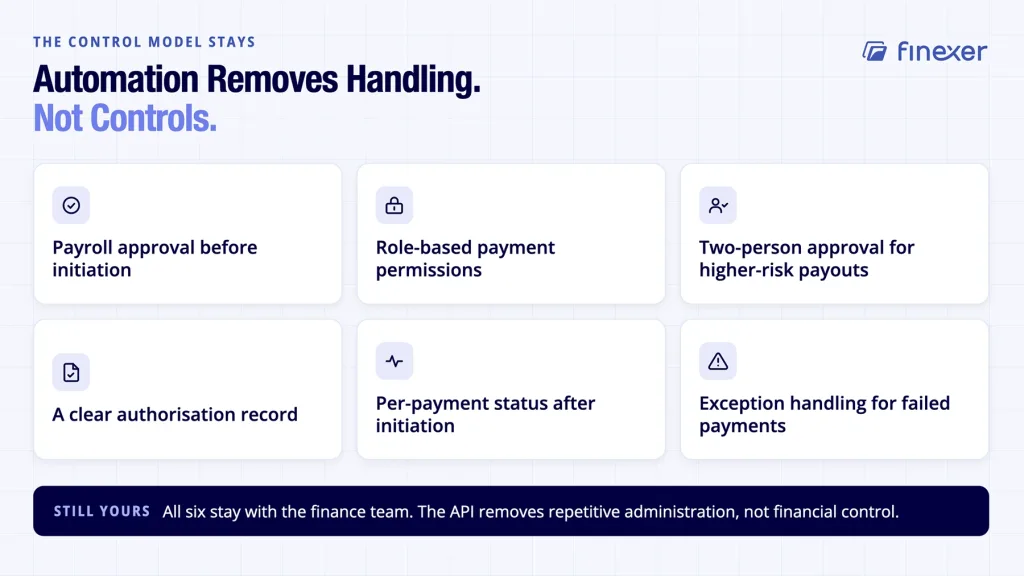
A sensible control model can include the following:
- Payroll approval before payment initiation
- Role-based payment permissions
- Two-person approval for higher-risk payouts where required
- A clear record of who authorised the payment
- Per-payment status after initiation
- Exception handling for failed or rejected payments
The API should remove repetitive administration but not financial controls.
That distinction matters for accounting practices and payroll platforms handling payments on behalf of multiple businesses.
Correct Bank Details Still Matter
Automation cannot repair an incorrect sort code or account number after the instruction has been approved.
Employee bank details need to be accurate before the payout begins. That means teams should maintain a controlled process for collecting, checking and updating account information.
For onboarding or bank-detail checks, bank account verification can provide an additional control before payment data enters the payroll workflow.
The point is straightforward: Automate the movement of approved, verified data. Do not automate bad data faster.
Reconciliation: The Step After Money Moves
A payment status tells you what happened to an individual instruction. Finance still needs to connect that event to the bank record and the payroll ledger.
Automated reconciliation changes that final task. Bank transaction data can be compared with the expected payroll output so that exceptions surface without forcing finance to inspect every line.
Our guide to payroll reconciliation covers that workflow in more detail.
A useful reconciliation model should answer the following four questions:
| Check | What finance needs to know |
|---|---|
| Expected | What payroll says should be paid |
| Initiated | What the platform sent for payment |
| Status | Which individual payments succeeded or failed |
| Bank record | What actually left the account |
What the Main Payroll Platforms Already Do
The market is not waiting for payroll automation.
Xero Payroll supports payroll calculations, HMRC reporting and employee payments using BACS/Faster payment files. BrightPay supports payroll processing, bureau workflows and employee payments, including payment through Modulr.
Sage also offers salary and supplier payment products connected to Sage software, with direct submission and reconciliation capabilities. These examples show an important market pattern: payroll vendors increasingly connect payroll with payment execution rather than treating the bank as a completely separate destination.
The opportunity for a platform is different. Instead of rebuilding payroll, it can connect its existing payroll logic to the payment infrastructure through an API.
That distinction is particularly relevant for payroll SaaS providers, accounting platforms and bookkeeping practices that want to retain their existing payroll engine.
Where Finexer Fits
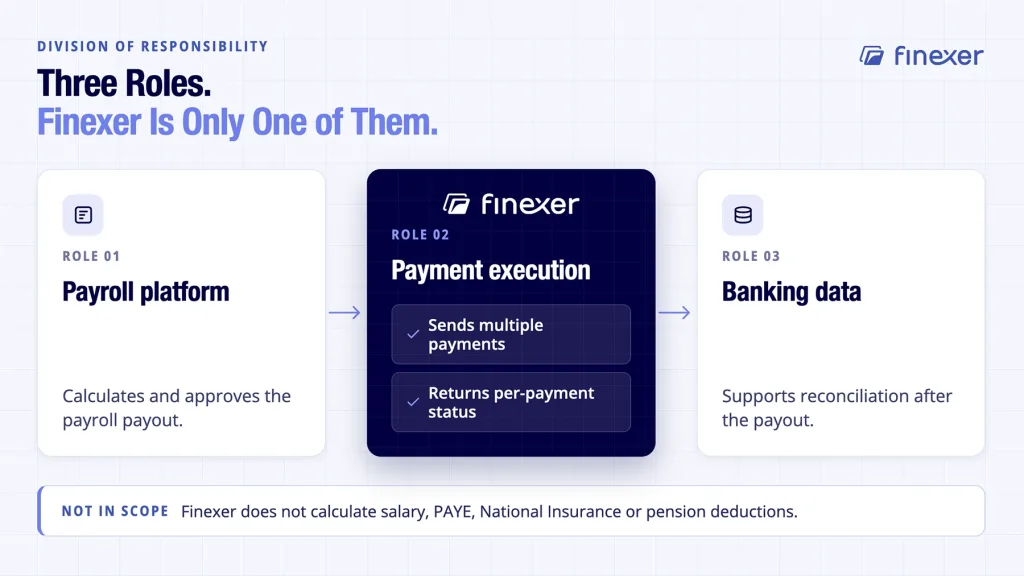
Finexer does not replace payroll software.
It does not calculate salary, PAYE, National Insurance or pension deductions. The payroll platform remains responsible for those functions and for producing the approved payroll payout.
Finexer Payments sits at the payment stage. It can send multiple payments through its API, support a payroll payout as a batch payout and provide per-payment status through webhook events.
Finexer Data can then provide banking data that supports reconciliation after the run.
The result is a division of responsibility:
The payroll platform calculates and approves.
Finexer executes payments and returns status.
Banking data supports reconciliation
This model lets a payroll or accounting platform keep its customer-facing workflow while connecting the payment stage to the API infrastructure.
Finexer Payments is the relevant layer for platforms building payment automation into an existing product.
Who Should Automate Payroll Payments?
Payroll and invoicing platforms
If your platform already calculates payroll, payment automation can remove the file-upload step and return payment events directly into your application.
Accounting and bookkeeping practices
Practices managing payroll for multiple clients can benefit when each approved payout follows a consistent payment workflow and failed payments can be isolated quickly.
Finance teams with growing payroll volumes
With a growing payroll, the problem is rarely the arithmetic alone. Repeated exporting, uploading, authorising and reconciling create more operational touchpoints.
A Practical Readiness Checklist
Before you automate payroll payments, confirm the following:
- Your payroll system can produce an approved payment instruction.
- Employee bank details follow a controlled verification process.
- Payment permissions and approvals are defined.
- Your payment provider returns the status of each individual payment.
- Failed payments have an exception workflow.
- Bank data can support reconciliation.
- Your audit trail connects payroll approval, payment initiation and bank movement.
- Your chosen payment rail fits your pay-date requirements.
If those pieces are in place, automation becomes a workflow change rather than another payroll application.
The Bottom Line
If the approved payout still leaves someone exporting files, uploading them to a bank, checking results manually and reconciling transactions line by line, the payment stage remains a manual workflow.
To automate payroll payments properly, automate that manual step without removing the controls around it.
Finexer gives payroll and accounting platforms a payment layer for executing multi-recipient payouts, receiving individual payment status and using bank data for reconciliation.
Does automating payroll payments replace payroll software?
No. Payment automation handles the movement of approved salary payments. Payroll software remains responsible for payroll calculations, statutory reporting and payslips.
Can payroll payments be automated without API integration?
Yes, but it depends on the provider. Some systems automate file creation or use connected payment services. An API-based model goes further by allowing the platform to initiate payments and receive status programmatically.
What happens when an employee payment fails?
The payment should return an individual failure or exception status so that the platform can identify the affected employee and apply its defined correction or review process.
Is Faster Payments always better than BACS for payroll?
No. The appropriate digital rail depends on the organisation’s approval process, pay-date requirements, controls and banking set-up. Faster Payments and BACS serve different operational models.
See how Finexer executes payroll payments programmatically with per-payment status so that failed salary payments surface immediately instead of after the pay date
Explore with AI
About the Author

Ravi Ranjan
Ravi Ranjan is Co founder & CEO of Finexer