Behind Your Till
Lower-cost payment and takings that reconcile automatically.
A till can tell you what you sold. Your bank account tells you what actually arrived. The gap between those two records is where retail and hospitality teams lose time, visibility and control.
TL;DR: Choose the EPOS that fits your operation, not the longest feature list. Then examine the payment layer separately. The right set-up should record every sale, cope with connectivity issues connected to accounting and make it practical to match takings with bank movements.
This article takes a buyer-led view of cloud EPOS and separates the responsibilities of the till, payment provider and banking data layer. Finexer does not provide EPOS software, till hardware or card acquiring.
What is a cloud-based point of sale?
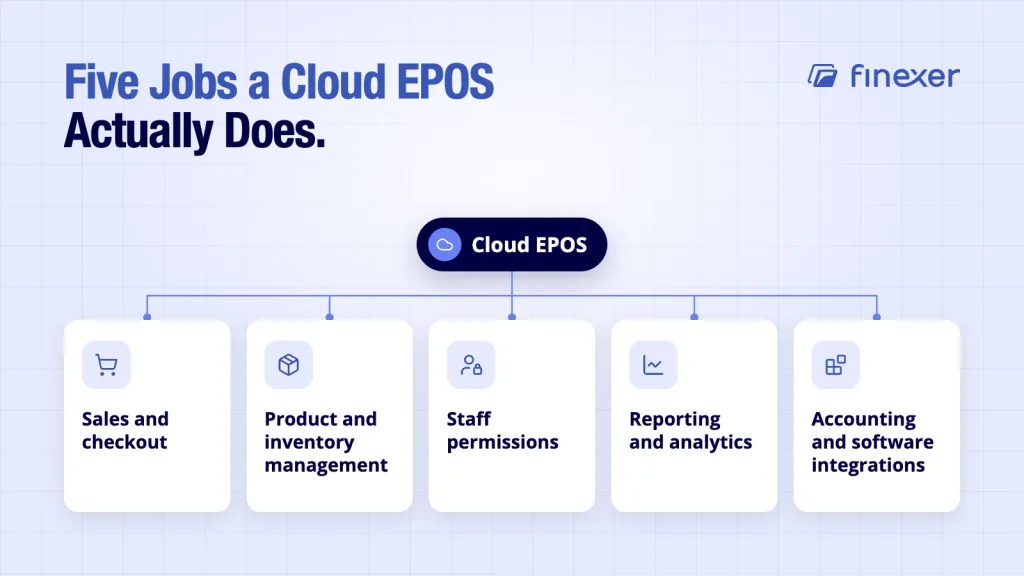
A cloud-based point of sale runs sales and operational workflows through software hosted in the cloud, with access through supported devices and applications. Operators can access business information across locations.
Typical capabilities include the following:
- Sales and checkout
- Product and inventory management
- Staff permissions
- Reporting and analytics
- Accounting and software integrations
Cloud EPOS does not remove hardware. Operators may still need devices, printers, scanners, cash drawers or payment terminals. The difference is where the software and business data sit and how easily supported devices can access them.
Cloud EPOS versus traditional EPOS
Traditional EPOS often depends more heavily on dedicated local hardware and on-site systems. A cloud-based point of sale shifts more of the software and data layer into hosted infrastructure.
| Factor | Cloud EPOS | Traditional EPOS |
|---|---|---|
| Set-up | Often less dependent on local servers | Greater hardware dependency |
| Updates | Usually managed through the service | May require local intervention |
| Multi-site visibility | Designed for central access | Can require additional configuration |
| Data access | Available through supported online devices | More tied to local infrastructure |
| Offline behaviour | Depends on the provider’s offline mode | Often designed around local operation |
| Hardware | Still required for many set-ups | Usually more extensive |
Offline behaviour needs special attention. Cloud does not mean the till stops working whenever connectivity drops, but providers handle outages differently. Check what can be sold offline, which payment methods remain available and how transactions synchronise afterwards.
What should you look for in cloud-based point of sale software?
Start with the daily operation. A technically impressive system that slows checkout or creates extra reconciliation work is a poor fit.
Use this checklist when comparing vendors:
1. Offline resilience
Ask what happens during an outage, including limits and expiry windows.
2. Hardware compatibility
Check supported tablets, tills, printers, scanners, cash drawers and payment terminals.
3. Accounting integrations
Ask what data moves into your accounting or ERP tools, when it moves and whether staff can trace entries to the sale.
4. Payment method support
Cards remain central, but customers may also expect wallets, contactless methods and Pay by Bank. Review which methods the EPOS supports directly and which depend on a separate provider.
5. Reporting
Check reporting by site, till, payment method, product, staff member and trading period.
6. Total cost
Include hardware, implementation, support, payment processing, integrations and transaction fees.
How leading cloud EPOS providers differ
Square positions its UK POS around sales, payments, records, inventory and related functions. Its software runs on mobile devices and supports offline card payments, subject to specific rules and limitations.
Shopify POS is particularly relevant to retailers that operate across online and physical channels. Its UK feature set includes inventory, staff management, reporting, hardware and integrated payments, with inventory synchronised across locations and sales channels.
Lightspeed targets retail and hospitality with cloud EPOS, multi-location management, inventory, reporting and integrations. Its restaurant product provides an offline mode, while its retail offering focuses on centralised inventory and remote reporting.
Epos Now focuses on cloud EPOS for retail and hospitality, with multi-location reporting, inventory tools, hardware and an app ecosystem.
Compare each provider against your operating model. Retailers may prioritise omnichannel inventory. Restaurants may care more about table service and outage handling. Multi-site groups may prioritise central control.
The payment layer behind the till
The EPOS records the sale but not necessarily the payment method or resulting bank movement.
Payment architecture therefore deserves its own evaluation. For buyers, that is a material commercial operating distinction.
Cards require card acceptance and acquiring arrangements. Pay by Bank uses account-to-account payments, with the customer approving a payment through their bank. It can affect processing costs and downstream reconciliation.
This is where the till and payment layer differ. Your EPOS systems UK set-up can record a transaction while a separate payment service handles how the customer pays. You can also consider open banking payments UK when assessing A2A payment options.
Pay by Bank can sit alongside cards through a QR code, payment link or another supported checkout flow. Other touchless payment options can also form part of the payment mix.
The reconciliation problem most EPOS buyers underestimate
A sales report and a bank statement are not the same dataset.
A shop may record £8,000 across cards, cash and account-to-account payments while the bank shows several deposits. Settlement timing, refunds, fees and chargebacks can make matching difficult.
Hospitality adds tips, split bills, delivery channels, service charges and multiple payment methods.
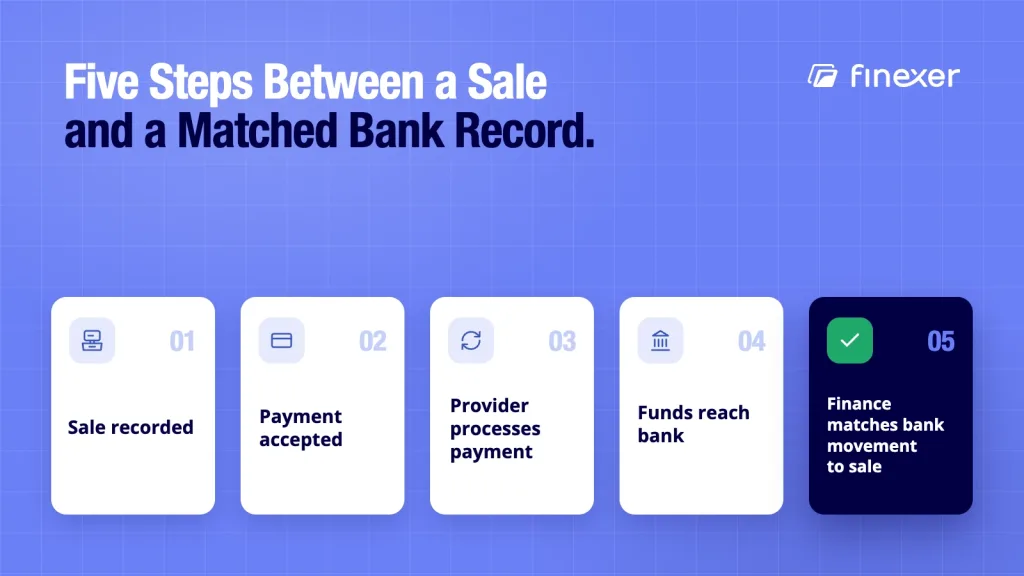
Sale recorded → payment accepted → provider processes payment → funds reach bank → finance matches bank movement to sales.More payment methods and locations make matching more important. A good reconciliation of payments process helps finance teams identify what arrived and what needs investigation.
Where Finexer fits
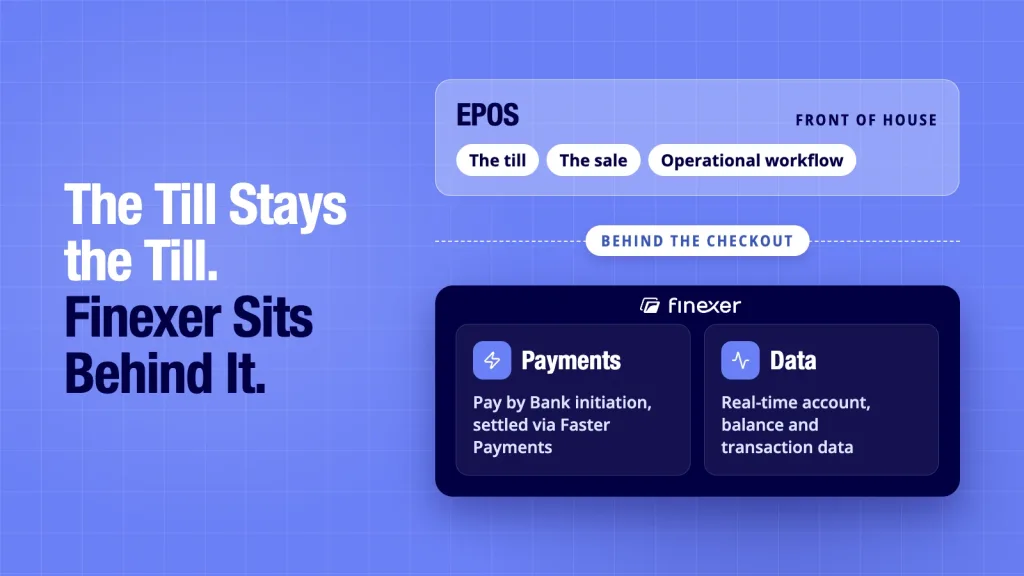
Finexer is not a cloud-based point of sale system. It does not provide the till, EPOS software or card acquiring. Its role sits behind the checkout, where payment initiation and banking data can support the EPOS and finance workflow.
For platforms and operators that want Pay by Bank, Finexer can initiate customer-approved payments through its Payments service. Those payments settle via Faster Payments. Separately, its Data service provides account data, balance data and transaction data through Open Banking.
It creates two useful connections.
First, an EPOS platform can offer Pay by Bank without building the regulated payment initiation layer itself.
Second, banking data gives the platform a view of real bank movements for its own matching rules.
For teams considering Finexer’s payments API, relevant capabilities include the following:
- Payments initiation through Open Banking
- Instant settlement via Faster Payments
- Account, balance and transaction data through AIS
- Almost all UK banks covered
- FCA-authorised infrastructure, FRN 925695
The EPOS retains the sale and operational workflow. The payment layer handles the approved payment process.
Who benefits most?
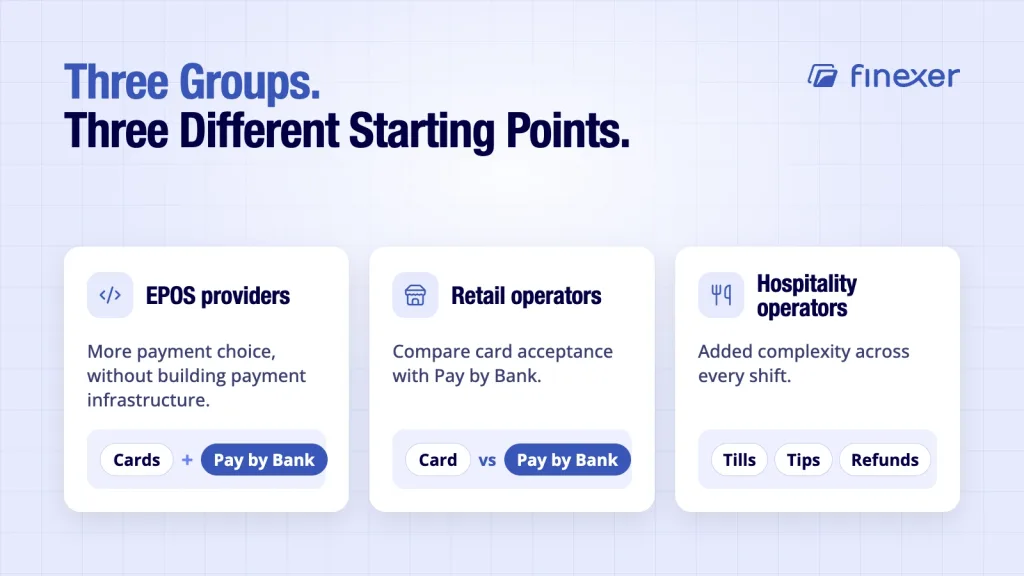
EPOS providers can consider this model when they want more payment choice without building payment infrastructure themselves.
Retail operators may use it to compare card acceptance with Pay by Bank and connect sales records with bank activity.
Hospitality operators face added complexity from multiple tills, locations, tips, refunds and payment methods.
The buying question is where the EPOS should stop and where specialist payment and banking infrastructure should begin.
A practical buying framework
Before signing a cloud EPOS contract, score each vendor against five areas:
| Area | Question |
|---|---|
| Core EPOS | Does it fit the way you sell? |
| Connectivity | What happens during outages? |
| Payments | Which methods can customers use? |
| Integrations | Does finance receive usable data? |
| Reconciliation | Can sales be matched to bank movements? |
Then test the workflow and not just the demo.
Run a realistic transaction from checkout to bank statement. Include a refund, multiple payment methods and an internet outage. Ask who owns each stage, what data is exposed and where exceptions appear.
This often reveals more than another product presentation.
Final verdict
A cloud-based point of sale is best viewed as the operating layer for sales, stock, staff and reporting and not the entire payment architecture.
The strongest buying decision starts with the till and then examines what happens after the customer taps, scans or approves a payment. Payment choice affects cost and customer experience. Bank data affects what finance can see. Reconciliation connects those records.
For retail and hospitality operators, choose the EPOS for the work it needs to perform. Then choose payment and banking layers that make the rest of the transaction make sense.
What should an EPOS RFP ask about data ownership?
Ask who owns transaction records, how data can be exported, which APIs are available and whether historical records remain accessible if you change providers.
How should a multi-site operator test an EPOS?
Ask vendors to demonstrate one workflow across two locations, including a stock change, staff permission change and reporting comparison. This exposes differences that a single-site demo can hide.
Can an existing EPOS support a separate payment provider?
Potentially. The answer depends on the EPOS’s integrations, APIs and supported payment flows. Ask whether third-party payment events can be passed back into the sales workflow.
What should finance receive from the payment layer?
At minimum, finance should be able to relate payment events and incoming bank movements to the relevant sales records. Ask what identifiers, statuses and transaction data the integration exposes.
See how Finexer lets EPOS platforms offer Pay by Bank and access real-time banking data, so takings can be matched against real bank movements.
Explore with AI
About the Author

Ravi Ranjan
Ravi Ranjan is Co founder & CEO of Finexer