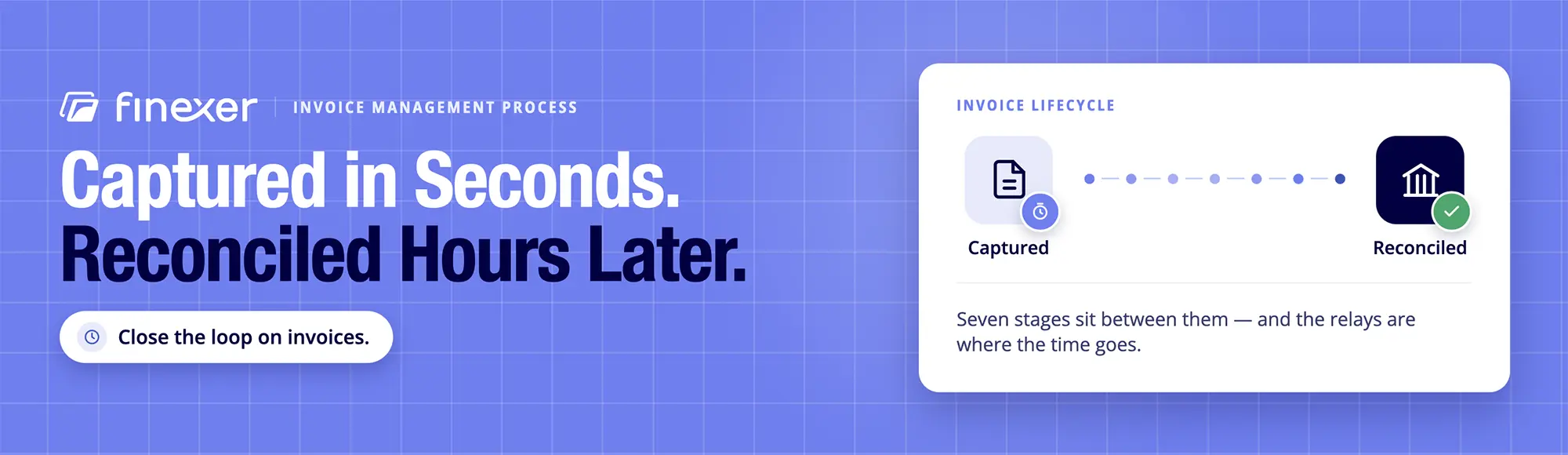
Close the Loop on Invoices.
Unique references that match payments back to the right invoice.
An invoice can be captured in seconds and still take hours before it is finally reconciled.
The problem is rarely one stage. It is the relay between receipt, coding, approval, payment and the bank record.
TL;DR: A good invoice management process is one that connects every stage without the pretense of automating every stage. Capture and coding are strong candidates for automation. Approval remains a control decision. Payment needs a reliable execution layer. Reconciliation needs banking data that can be matched to the invoice record.
This article approaches invoice management from the perspective of accounting and ERP platforms, finance teams and invoicing businesses. Finexer provides regulated Open Banking infrastructure for payment execution and banking data. It does not control a platform’s invoice workflow, nor does it decide whether an invoice should be approved.
What Does an Invoice Management Process Actually Cover?
An invoice management process is the controlled sequence that takes an invoice from arrival to final payment reconciliation.
A well-designed workflow usually contains the following seven stages:
| Stage | Core activity | Main control |
|---|---|---|
| 1. Receipt and capture | Collect invoice data | Source and document checks |
| 2. Coding | Assign supplier, account and tax information | Coding rules |
| 3. Matching | Compare invoice with supporting records | PO, receipt or contract match |
| 4. Approval | Obtain authorised sign-off | Approval permissions |
| 5. Payment scheduling | Decide when and how to pay | Due date and cash controls |
| 6. Payment execution | Send the approved payment | Payment authorisation |
| 7. Reconciliation | Match payment with the invoice | Banking transaction record |
The key is continuity. Each stage should pass on reliable information to the next instead of creating another spreadsheet, email chain or manual reentry task.
1. Receipt and Capture
The process starts when an invoice enters the organization, whether through email, e-invoicing network, supplier portal, API or scanned document. The first objective is to capture the information needed for downstream processing.
Typical fields include the following:
- Supplier name and identifier
- Invoice number
- Invoice date
- Due date
- Purchase order reference
- Net and gross amounts
- VAT information
- Supplier bank details
Manual entry at this point creates avoidable work further downstream. A typo in an invoice number can affect matching. A wrong amount can create an approval exception. A missing purchase order can stop the invoice from progressing.
Thus, invoice process automation can add value before the finance team ever sees the invoice.
2. Coding the Invoice
The invoice, once captured, needs to enter the accounting structure.
Coding can cover the general ledger account, department, project, cost centre, VAT treatment and other fields required by the organisation.
This is an area where software can reduce repetitive work, especially when suppliers and invoice patterns repeat.
However, automation should not signify acceptance of every suggested classification without review.
Finance teams still need rules for unusual suppliers, unfamiliar expenses and invoices that fall outside expected patterns.
The objective is not to remove judgement but rather to reserve it for transactions that actually require exercise of judgement.
3. Matching Against Supporting Records
Matching determines whether the invoice agrees with the information that should support it.
Depending on the organisation, that might mean comparing the invoice with the following:
- A purchase order
- A goods-received record
- A contract
- A delivery confirmation
- A previously agreed price
Thus, an invoice matching process can identify discrepancies before an invoice reaches payment approval.
A two-way match may compare the purchase order with the invoice. A three-way match can add the goods-received record.
The more reliable the supporting data, the less the time finance spends investigating invoices that should never have become exceptions.
4. Approval Is a Control, Not Just a Workflow Step
Approval is often described as a task to automate. That framing misses the forest for the trees.
An approval workflow determines authority to commit company funds.
Software can route an invoice to the appropriate person, send notifications and record decisions. It cannot replace the organisation’s financial policy.
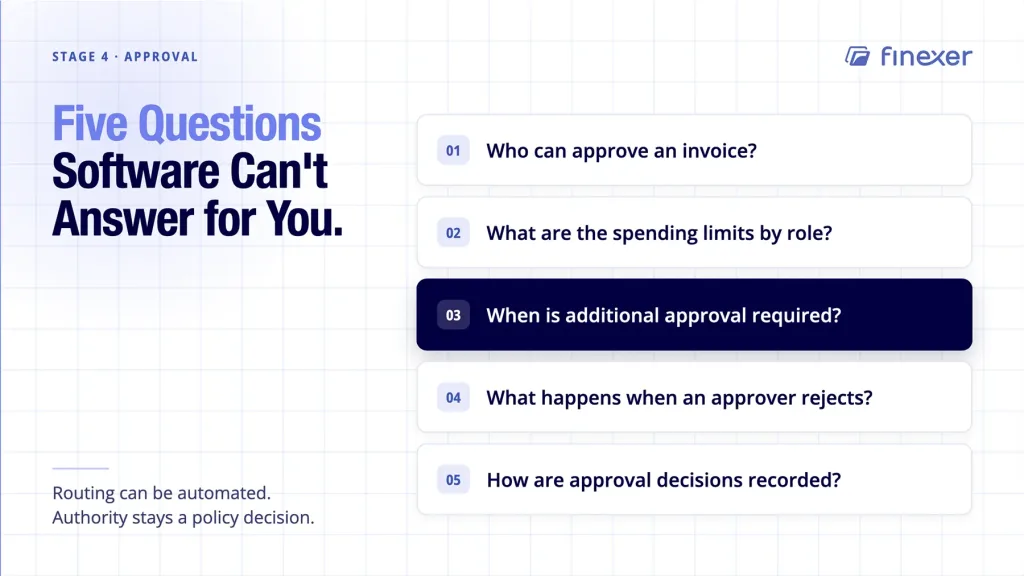
A useful approval structure defines the following:
- Who can approve an invoice?
- What are the spending limits by role?
- When is additional approval required?
- What happens when an approver rejects an invoice?
- How are approval decisions recorded?
Segregation of duties is of the essence. The person who prepares an invoice for payment should not automatically be vested with unrestricted authority to release the funds.
This is a reason why invoice process automation should be designed around controls rather than treated as a race to obviate every human decision.
5. Payment Scheduling
The invoice becomes a payment obligation after approval.
Scheduling determines when the organisation intends to pay on the basis of due date, supplier terms, cash position and internal policy.
At this juncture, finance seeks a clear distinction between approved for payment and paid.
That distinction sounds obvious, but it breaks when preparing multiple payment batches, with some invoices held for review.
A payment schedule should retain the invoice reference so that the payment can later be connected to the underlying liability.
6. Payment Execution
Payment execution is where invoice workflow meets banking infrastructure.
Traditional processes may involve exporting a payment file, uploading it to a banking portal, authorising it and then checking the resulting bank transactions.
For accounting and ERP platforms, this creates another system boundary.
An API-based approach provides for allowing a platform to send approved payment instructions through its payment infrastructure even as it retains the invoice reference as part of the payment record.
That is where open banking apis for b2b payments fit into an invoice workflow.
The goal is not to make approval disappear but rather to connect an approved invoice to the payment instruction without making finance re-key the same information.
7. Reconciliation Closes the Process
The invoice management process is incomplete until Finance can establish what happened after payment.
Reconciliation connects the expected payment with the transaction that actually appears in the account.
The basic relationship is as follows:
Invoice – approved payment – payment reference – bank transaction
This is where payment references become all the more useful.
If the payment carries a unique reference attached with the invoice, the platform has a stronger basis for matching the resulting banking transaction to the correct invoice.
That is not license for the platform to blindly mark invoices as paid because exceptions still need due review.
Our guide to automated invoice reconciliation covers the wider reconciliation workflow and where banking data fits into it.
Where Invoice Process Automation Actually Helps
Not every stage deserves the same automation strategy.
| Process stage | Automation potential | Why |
|---|---|---|
| Capture | High | Data can be extracted from incoming documents |
| Coding | High to medium | Rules and historical patterns can assist |
| Matching | High | System rules can compare related records |
| Approval | Medium | Routing can be automated, authority remains human |
| Scheduling | Medium to high | Rules can determine proposed payment dates |
| Payment | High | Approved instructions can be sent programmatically |
| Reconciliation | High | Banking data can support transaction matching |
The best invoice management process therefore does not ask, “How do we automate everything?”, instead asking, “Which decisions require people, and which relays are repetitive enough for software to handle?”
That distinction separates useful automation from automation theatre. The right invoice management tool can handle repetitive tasks such as invoice capture, data extraction, coding and matching, reducing the amount of manual re-keying required by accounts payable teams.
What the Main Accounting Platforms Already Cover
The market already provides substantial invoice and accounts payable functionality.
Xero supports bill capture, approval roles, payment scheduling and bill payments within its accounting environment. Its UK accounts payable offering also supports multiple bill payments and transaction reconciliation.
Sage‘s accounts payable offering covers invoice capture, matching and approval workflows, payment processing, audit trails and reporting.
QuickBooks also connects bills and expenses with accounting and banking data, including automated organisation and transaction matching.
All of this creates an important choice for Finance and Products.
If the existing accounting platform already handles invoice capture, coding, approval and accounting records, rebuilding those functions may add little value.
Whether the payment and banking layer connects cleanly to the workflow already in place becomes the more interesting question.
The Controls That Should Stay
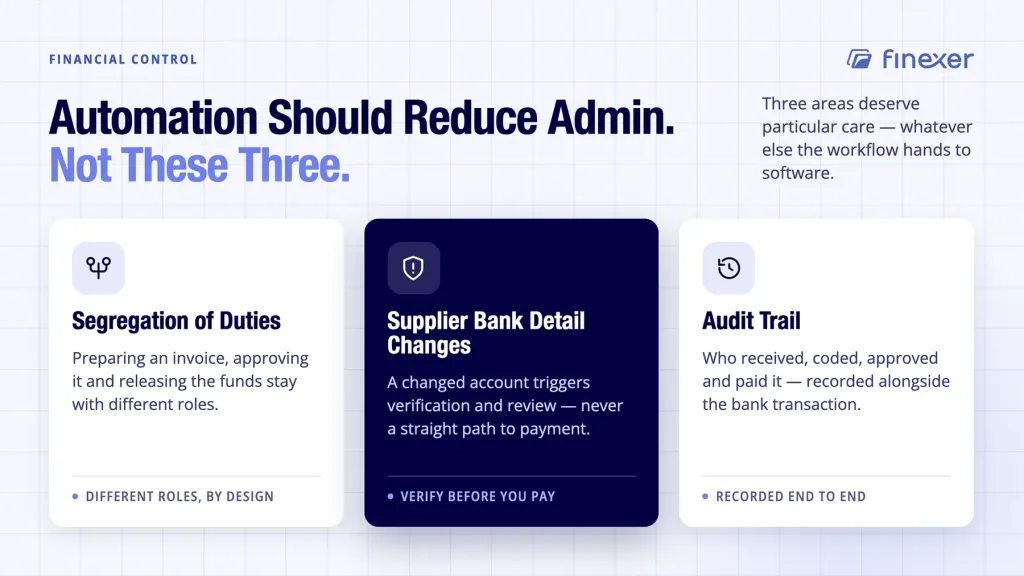
Automation should reduce repetitive administration while preserving financial control.
Three areas deserve particular care.
Segregation of duties
Different people or roles might need responsibility for invoice preparation, approval and payment authorisation.
Supplier bank detail changes
A change to a supplier’s bank account should trigger appropriate verification and a review process, not automatically flow into payment just because the invoice has already been approved.
Audit trail
Finance should be able to establish who received, coded, approved and paid an invoice, alongside the resulting banking transaction.
These controls are essential even when most of the workflow is automated.
How to Measure the Process
A finance team cannot improve an invoice management process without knowing where time and exceptions accumulate.
Useful measures include the following:
| Metric | What it reveals |
|---|---|
| Receipt-to-payment cycle time | How long invoices remain in the workflow |
| Exception rate | How often invoices leave the expected path |
| Approval time | Whether sign-off is creating delays |
| Payment failure rate | Whether payment execution is creating exceptions |
| Reconciliation effort | How much manual work remains at period close |
For teams interested particularly in invoice tracking, the focus should extend beyond whether an invoice is marked as paid.
A more useful question would be about where each invoice sits and what event is required to send it onward.
Where Finexer Fits
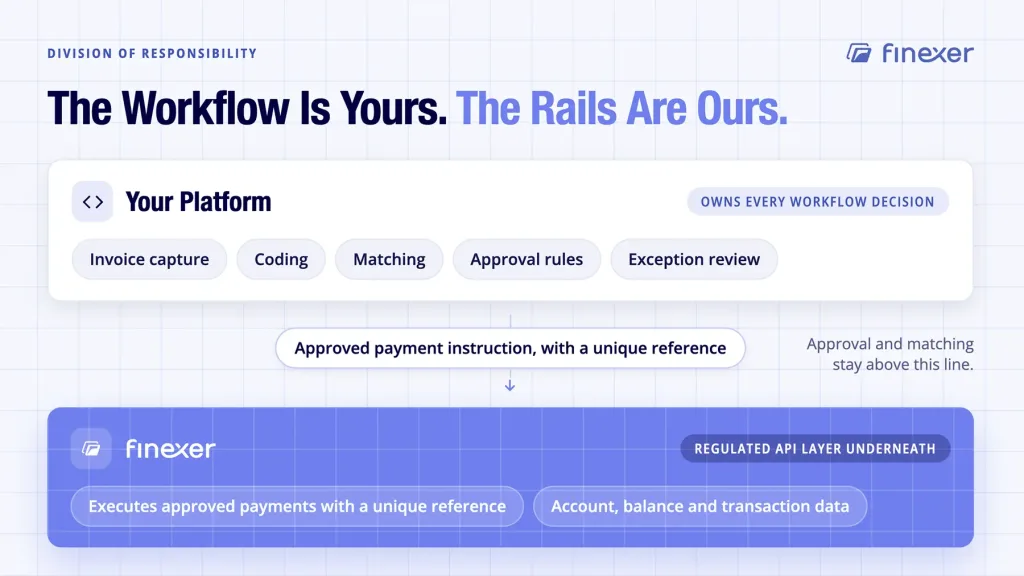
Finexer is the infrastructure layer underneath platforms, not the invoice management application itself.
Platforms remain responsible for invoice capture, coding, matching, approval rules and workflow decisions.
Finexer Payments can execute approved payment instructions, each with a unique reference, which can then link payments and invoice records.
Finexer Data provides account, balance and transaction data through Open Banking, giving platforms banking information that can support their own reconciliation workflow.
That distinction is of consequence.
Finexer does not decide the approval of an invoice, nor does it control the platform’s matching rules. It supplies the regulated API layer for payment execution and banking data.
For accounting and ERP platforms, that can mean keeping the invoice workflow inside the product even while connecting the final payment and banking stages to external financial infrastructure.
Who Benefits Most?
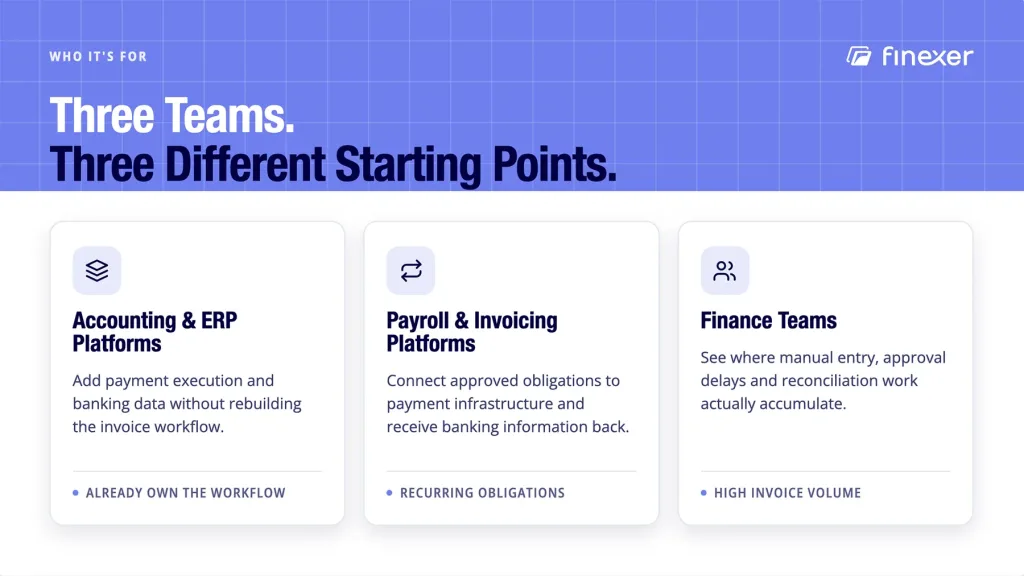
Accounting and ERP platforms
Platforms that already manage invoices can add payment execution and banking data without rebuilding their core invoice workflows.
Payroll and invoicing platforms
Businesses managing recurring supplier or invoice payments can connect approved obligations to payment infrastructure and receive banking information for downstream processing.
Finance teams
Teams with large invoice volumes can identify where manual entries, approval delays, payment exceptions or reconciliation work consume.
What is the difference between invoice processing and invoice management?
Invoice processing normally refers to handling invoice information and moving it through validation and approval, whereas invoice management covers the wider lifecycle, including payment and reconciliation.
Can invoice process automation work with an existing ERP?
Yes. The practical approach is often to automate selected stages while keeping the ERP as the system of record for accounting, approvals and reporting.
Does invoice automation remove finance teams from the process?
No. It reduces repetitive handling even as it leaves finance responsible for exceptions, approvals, supplier controls and financial oversight.
What happens when an invoice cannot be matched?
It should go down an exceptional path. The responsible team can investigate the discrepancy and decide whether to approve, reject or request more information.
Close the Loop on Your Invoice Workflow
A well-designed invoice management process is one that does more than move documents between mailboxes and accounting systems.
Rather, it creates a controlled path from invoice receipt to payment and then connects that payment back to the financial record.
Automation has a role at each stage but that does not relegate every decision or judgement call to disappear behind software.
See how Finexer executes invoice payments with unique references and real-time banking data. Give your platform the information it needs to connect payments back to invoices.
Explore with AI
About the Author

Ravi Ranjan
Ravi Ranjan is Co founder & CEO of Finexer