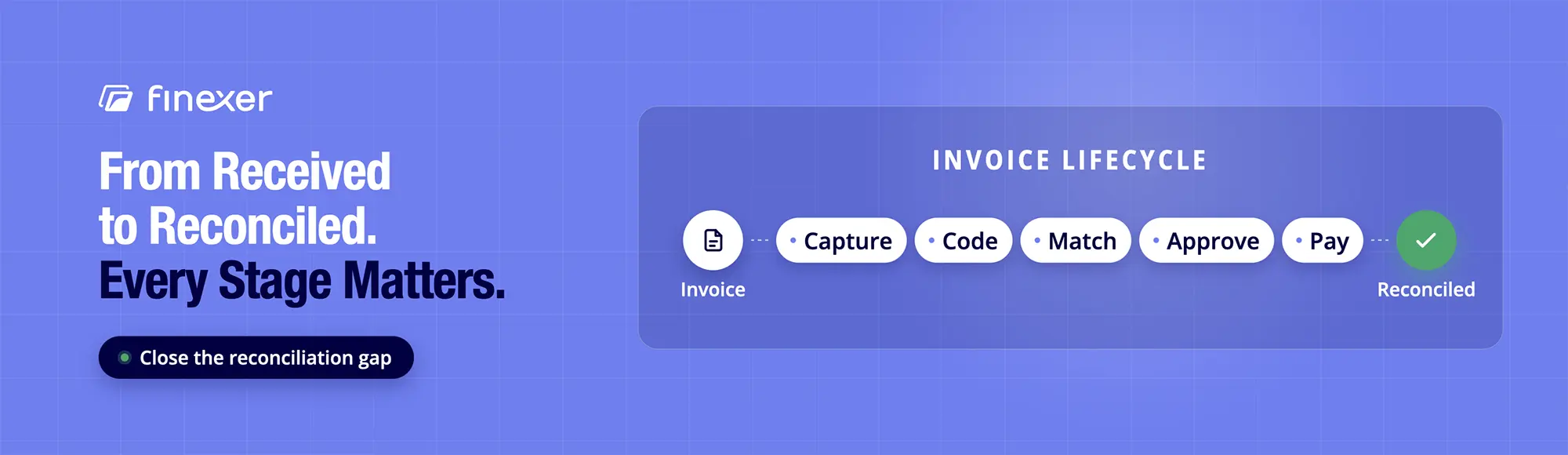
Close the Reconciliation Gap
Real-time banking data and references that match paid invoices back.
Every week, finance teams approve millions of pounds in supplier invoices, submit payments through their bank portals and assume the job is finished. Three days later, month-end closing hits a wall. A partial payment was made against a multi-line bill, a supplier changed their settlement account or a payment batch went out without a unique reference. Suddenly, accounts payable specialists are stuck sifting through bank statements, manually matching ledger entries to banking movements.
TL;DR: Modern invoice processing automates capture, GL coding, two-way or three-way matching and payment execution. Yet, most software stops at payment initiation, leaving a manual reconciliation gap between AP ledgers and real bank movements. By embedding real-time banking data and unique payment references via Open Banking infrastructure, platforms close this loop automatically.
As a specialist in UK financial API infrastructure, Finexer collaborates directly with product managers, CTOs and finance directors building next-generation accounting, ERP and payment platforms. This guide details how modern invoice processing in accounts payable functions, evaluates current software categories and explains how Open Banking data layers bridge the gap between payment approval and bank reconciliation.
What Is Invoice Processing in Accounts Payable?
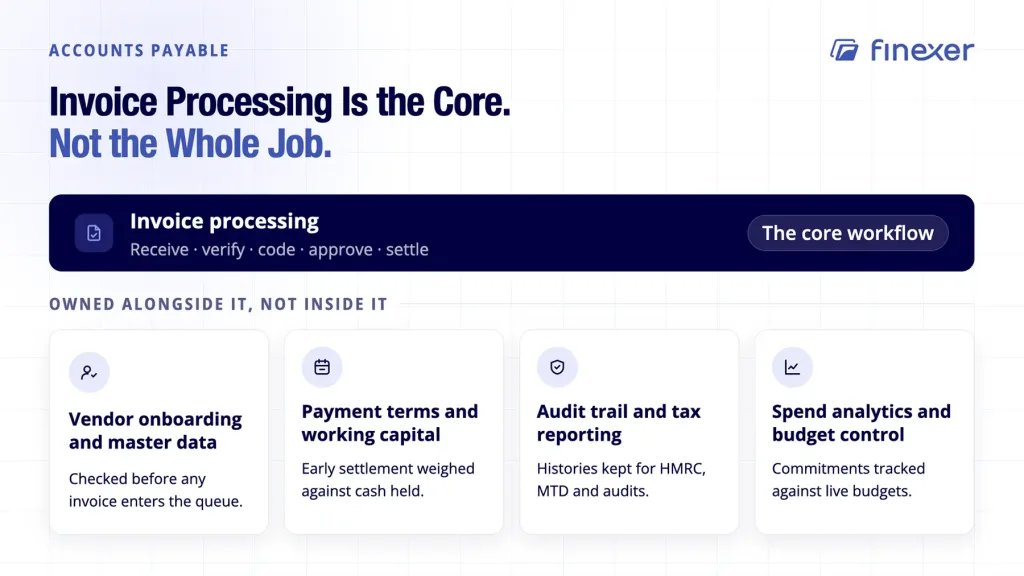
In accounts payable operations, invoice processing represents the operational workflow that receives, verifies, codes, approves and settles supplier bills. It serves as the primary bridge between procurement activities and ledger accounting, keeping financial records precise and cash flow predictable.
While invoice processing in accounts payable forms the core operational workload, AP departments manage broader responsibilities beyond individual supplier bills:
Vendor Onboarding and Master Data Maintenance: Verifying supplier identities, tax information and bank details before any invoice enters the queue.
Payment Terms Negotiation and Working Capital: Managing payment instructions to balance early settlement discounts against working capital retention.
Audit Trail Compliance and Tax Reporting: Maintaining record histories for HMRC compliance, Making Tax Digital (MTD) mandates and statutory audits.
Spend Analytics and Budget Control: Tracking department commitments against real-time operational budgets.
How Invoice Processing Works Today
Executing an efficient workflow requires multi-stage verification. Skipping steps or relying on loose controls exposes organizations to duplicate payments and fraud.
1. Capture and Data Extraction
Invoices arrive through various channels: PDF email attachments, e-invoicing networks, paper mail or vendor portals. Optical Character Recognition (OCR) and machine-learning models extract key header and line-item data fields, including supplier name, invoice date, due date, line items, net amounts, VAT, and bank account details.
2. General Ledger (GL) Coding
Once extracted, the invoice requires proper account assignment. System logic assigns appropriate GL codes, cost centers and project codes based on historical vendor rules, purchase order line descriptions or predictive machine-learning suggestions.
3. Verification and Matching
Before approval, the bill undergoes validation against existing operational records. For a deeper look at operational mechanics, review the invoice management process.
Two-Way Matching: The system matches the invoice directly against the issued Purchase Order (PO), confirming quantities and agreed prices.
Three-Way Matching: The system verifies the invoice against both the original PO and the Goods Received Note (GRN), confirming goods arrived before releasing funds.
To explore matching architecture in detail, see our guide on the invoice matching process.
4. Approval Routing
Unmatched invoices or bills exceeding specific spending thresholds route to designated department managers. Approval workflows utilize conditional rules based on spending limits, cost centers, or variance thresholds.
5. Payment Execution
Approved invoices queue for settlement during scheduled payment instructions. Modern operations trigger payment instructions directly through digital payment networks such as Faster Payments or integrated banking channels.
6. Reconciliation
The final step matches settled payments against bank account statements, updating general ledger accounts to close open liabilities.
Manual vs. Automated Invoice Processing
Relying on manual invoice keying increases overhead, extends cycle times and exposes finance teams to human error.
| Factor | Manual | Automated |
|---|---|---|
| Cycle time | Slower, dependent on manual handling at each stage | Faster, limited mainly by approval turnaround |
| Error rate | Higher, driven by manual data entry | Lower, extraction and matching reduce entry errors |
| Exception handling | Ad hoc, often blocks the batch | Isolated and routed without blocking other invoices |
| Audit trail | Fragmented across systems and inboxes | Consistent, system-recorded at each stage |
| Cost per invoice | High processing overhead | Significantly lower per-unit cost |
Evaluating Modern Invoice Processing Solutions
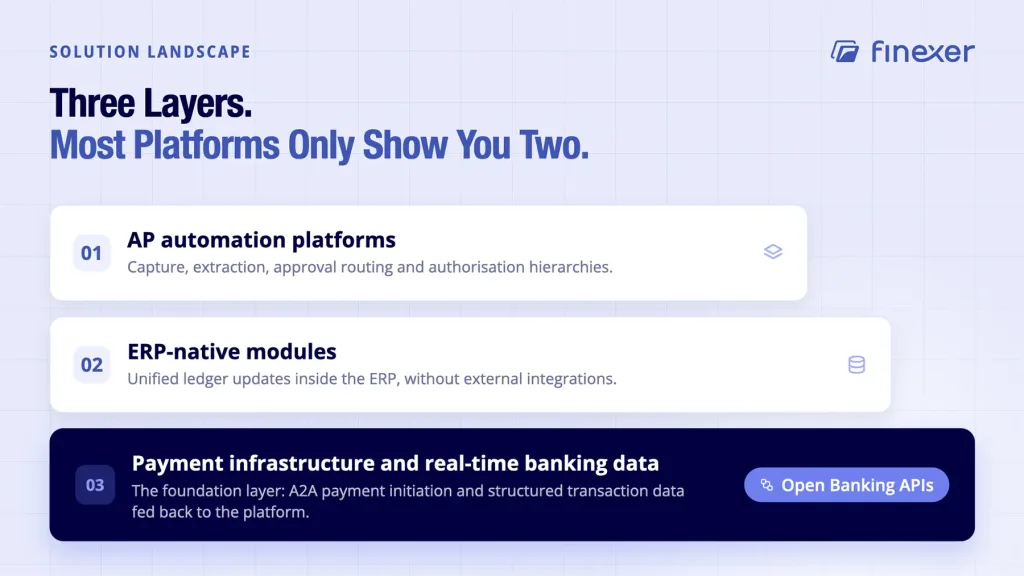
Businesses evaluating invoice processing solutions encounter three main technology layers:
Layer 1: AP Automation Platforms
Dedicated software engines focus entirely on capture, data extraction, approval routing and approval interfaces. These tools excel at handling complex authorization hierarchies and high invoice volumes. Learn more in our comparison of automated invoice processing software.
Layer 2: ERP-Native Modules
Embedded modules within ERP systems (such as NetSuite, SAP and Microsoft Dynamics) provide unified ledger updates without external integrations. While convenient, their OCR and workflow capabilities can lag behind dedicated specialised software.
Layer 3: Payment Infrastructure and Real-Time Banking Data
That is the foundational layer connecting software platforms to real-world financial networks. By leveraging Open Banking APIs, this infrastructure handles A2A payment initiation and feeds structured transaction data back into the accounting software.
Handling Exceptions: The Real AP Workload
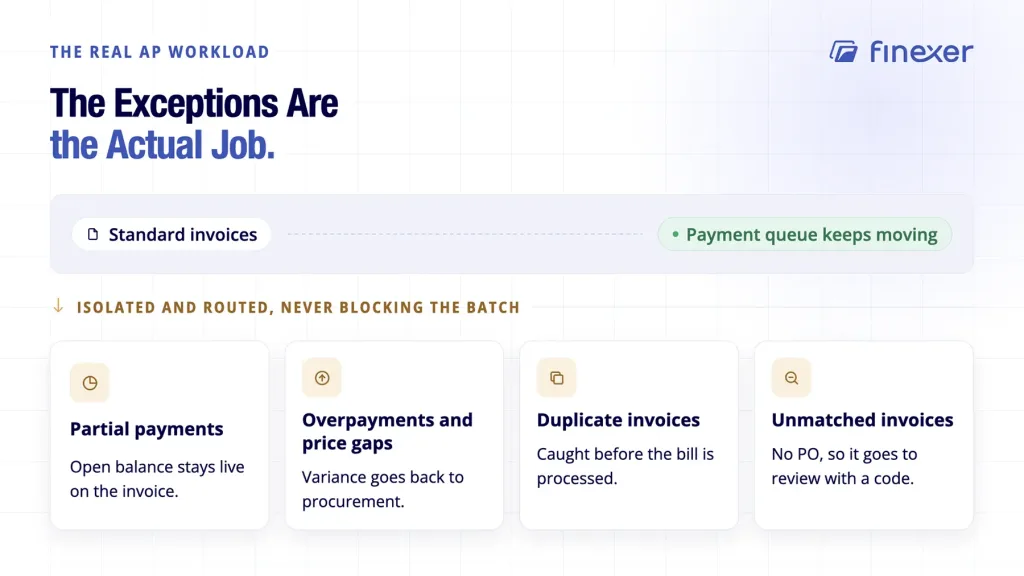
Standard invoices pass through automated systems smoothly. Operational friction concentrates in exceptions, which are invoices that fail matching checks or exhibit data variances. Efficient systems isolate exceptions without stalling straightforward payment queues:
Partial Payments: These occur when suppliers issue partial deliveries or apply credit notes. Systems must maintain open balances against the original invoice without marking the entire line item complete.
Overpayments and Price Discrepancies: These are triggered when supplier bills exceed purchase order values. Advanced software flags line-item variances, routing discrepancies back to procurement teams automatically.
Duplicate Invoices: Duplicate bills arrive via multiple channels (e.g., both email and postal mail). Intelligent platforms flag matching invoice numbers, amounts and supplier details before processing.
Unmatched Invoices: Bills arriving without corresponding purchase orders trigger exception workflows. Rather than blocking processing, modern systems flag these items for manual review with specific error codes.
The Reconciliation Gap: Where Traditional AP Tools Stop
While specialised accounts payable software manages document digitisation, coding rules and approval hierarchies up to payment initiation, a broader category challenge emerges across the entire accounts payable lifecycle: the disconnect between ledger updates and actual bank settlement.
When an AP platform generates a payment file or triggers a bank transfer, the workflow within the software typically considers the task complete. However, the physical movement of funds occurs on external banking networks.
Without an automated feedback loop from the bank back into the general ledger, finance teams must perform manual bank statement matching at month-end to verify that payments actually cleared, arrived under the correct reference, and matched the exact invoice amount.
Bridging this operational relay between workflow platforms and bank clearing requires programmatic access to real-time banking data. Platforms seeking to eliminate this manual statement review layer rely on automated invoice reconciliation architecture underneath their core invoice workflows.
How Finexer Bridges the Reconciliation Gap
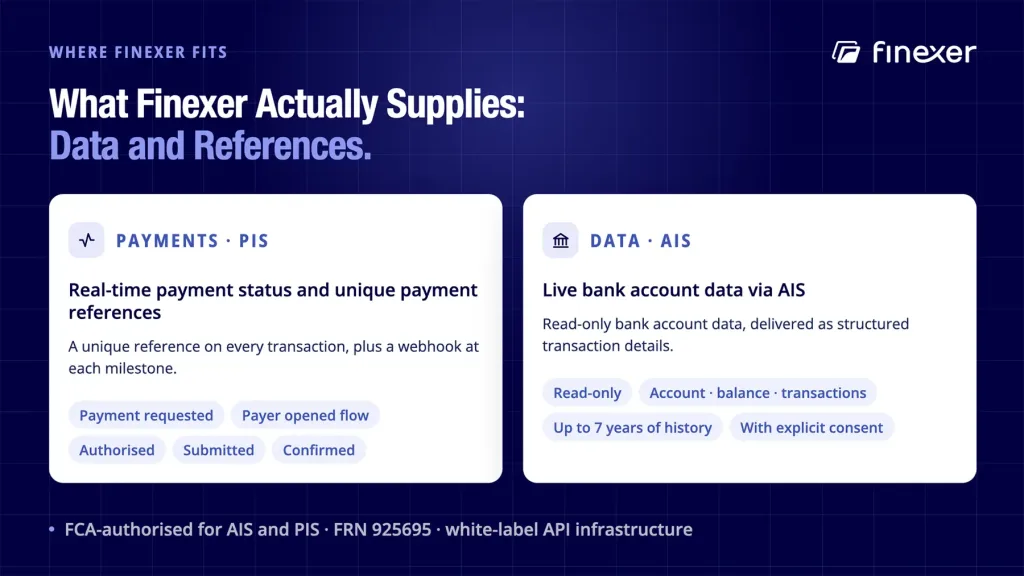
Finexer supplies the FCA-regulated data and payment infrastructure that enables SaaS platforms, ERPs and invoicing software to connect invoice workflows directly to UK digital banking networks such as Faster Payments.
Real-Time Payment Status and Unique Payment References
Finexer’s payments product (PIS) allows software platforms to initiate A2A transfers directly from business bank accounts. Payments settle instantly via Faster Payments, while Finexer attaches unique payment references to every transaction. Real-time webhooks notify the host application at each milestone:
- Payment Requested
- Payer Opened Flow
- Authorised
- Submitted
- Confirmed
Live Bank Account Data via AIS
Finexer’s data product (AIS) provides read-only access to real-time banking data directly from the recipient’s bank account. When funds land, Finexer fires a webhook containing structured transaction details. Developers can explore this infrastructure through Finexer’s banking data API.
“In my experience working with finance operations teams, manual reconciliation overhead vanishes when your software matches incoming payment references directly against ledger IDs,” explains Ravi, Co-founder & CEO, Finexer. “Our infrastructure delivers the data layer that enables platforms to build automated matching logic.”
Finexer Technical and Operational Specifications
Bank Coverage: Connects almost all UK banks across high street, challenger, and business banking institutions.
Regulatory Authorisation: FCA-authorised for both AIS and PIS operations (FRN 925695).
Data Access Limits: Retrieves up to 7 years of historical transaction data with explicit user consent.
Data Categories: Delivers structured access across account, balance and transaction data.
Implementation Support: Engineering teams receive dedicated onboarding support for 3–5 weeks.
Deployment Architecture: Fully white-label API infrastructure, allowing platforms to retain complete brand ownership over end-user interfaces.
Use Cases by B2B ICP Verticals
Connecting invoice workflows directly to banking infrastructure delivers distinct advantages across B2B software verticals:
Accounting and ERP Platforms
Operational Challenge: Users must export CSV bank statements manually to clear open accounts payable and accounts receivable balances.
Open Banking Infrastructure: Live AIS feeds push real-time transaction data directly into the general ledger.
Business Outcome: Eliminates manual CSV uploads and accelerates month-end account reconciliation.
Invoicing and Billing Software
Operational Challenge: Invoicing tools lack visibility over whether sent bills have cleared the recipient’s bank account.
Open Banking Infrastructure: Combined PIS and AIS tracking fires webhooks upon payment settlement, updating status records automatically.
Business Outcome: Delivers real-time payment visibility and reduces outstanding Days Sales Outstanding (DSO).
Payroll Platforms
Operational Challenge: HR and payroll teams upload manual BACS files to bank portals, waiting days for payment clearing.
Open Banking Infrastructure: Bulk PIS endpoints trigger individual salary transfers that settle instantly via Faster Payments.
Business Outcome: Replaces manual file uploads with instant payment confirmation per employee.
What is the difference between accounts payable and invoice processing?
Accounts payable is the finance department responsible for managing short-term vendor liabilities, cash disbursements and supplier relationships. Invoice processing is the operational workflow within AP that handles receiving, extracting, matching, approving and paying individual bills.
How does Open Banking improve invoice reconciliation?
Open Banking provides direct API feeds between business bank accounts and accounting software. By attaching unique payment references during initiation via Payment Initiation Services (PIS) and monitoring incoming funds via Account Information Services (AIS), platforms can match real-world bank movements to open ledger entries automatically.
What are two-way and three-way invoice matching?
Two-way matching compares the line-item pricing and totals on a supplier invoice directly against the original Purchase Order (PO). Three-way matching adds a third validation step by checking the invoice against the Goods Received Note (GRN), confirming that items were physically received before releasing payment.
How do modern systems handle partial or overpaid invoices?
When an invoice amount differs from the purchase order, modern software isolates the bill into an exception queue. Partial payments update the open balance while keeping the line item active. Overpayments or price discrepancies trigger automated variance alerts, routing the bill back to procurement for review without blocking standard payment queues.
Close the Reconciliation Gap
See how Finexer supplies real-time banking data and unique payment references so your platform can match paid invoices to real bank movements without manual reconciliation.
Explore with AI
About the Author

Yuri
Yuriy Yakushko is a fintech founder and software engineer with over 20 years of experience building financial technology. He’s passionate about creating scalable, secure infrastructure that helps businesses modernise how they access financial data and manage payments.