Whichever Route You Pick
Get per-payment status on every payroll payment, whatever your payroll setup.
Payroll processing services UK businesses can choose to come down to three routes: run payroll in-house on software, outsource it to a payroll bureau, or use a managed service. Each trades cost, control and risk differently, and in every case the employer stays responsible to HMRC for accurate filing. This guide breaks down what each route actually does, where that responsibility sits and what to check before signing anything.
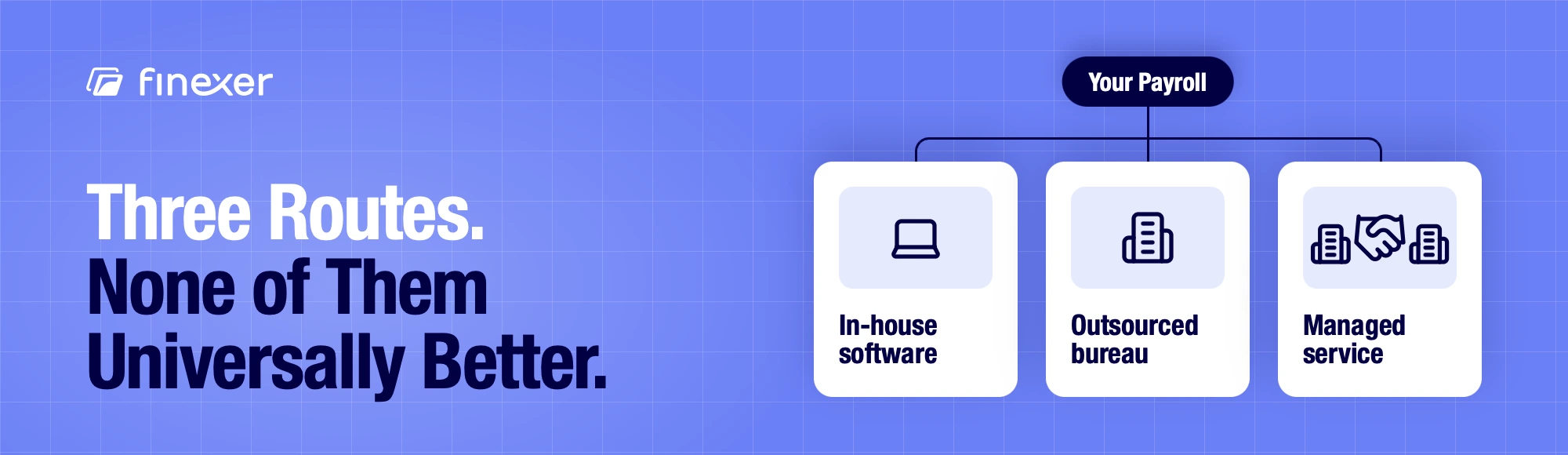
Payroll processing services UK: three routes to choose from
Every business that processes UK payroll chooses between three structures. None is universally “better”. Each one splits the work and the oversight differently.
- In-house with software: your team runs payroll in HMRC-recognised payroll software.
- Outsourced bureau: a third party runs the calculations and filings on your behalf.
- Managed service: a provider runs payroll, and you keep more oversight than in a full bureau handover.
| In-house software | Outsourced bureau | Managed service | |
|---|---|---|---|
| Who runs the calculation | Your payroll team, in the software | The bureau’s team, from the data you send | The provider’s team, with you reviewing each run |
| Who files with HMRC | Your team submits RTI from the software | The bureau submits RTI as your agent | The provider submits RTI as your agent, after your sign-off |
| Who is responsible if a filing is wrong | The employer (you). HMRC holds the employer responsible for PAYE. | The employer (you). HMRC holds the employer responsible for PAYE. | The employer (you). HMRC holds the employer responsible for PAYE. |
| What happens at year end | Your team sends the final submission and issues P60s by 31 May | The bureau sends the final submission and produces P60s; you supply the year’s data | The provider sends the final submission and produces P60s; you sign them off |
| How it scales as headcount grows | The software handles more payslips; your team’s workload grows with them | The bureau absorbs the extra payslips; you send more data each cycle | The provider absorbs the extra payslips; your review grows with the number of exceptions |
| How the payment leaves the account | From your bank account, using a payment file your team creates and approves | Usually from your bank account, using a file the bureau prepares and you approve | Usually from your bank account, using a file the provider prepares and you approve |
Businesses comparing this space often look at payroll processing software options directly. Payroll software sits in the first route, while bureaus range from local accountancy firms to specialist payroll-only operators. Neither is automatically cheaper: cost depends on headcount, pay frequency and how much of the work you hand over.
What a Payroll Processing Service Actually Does
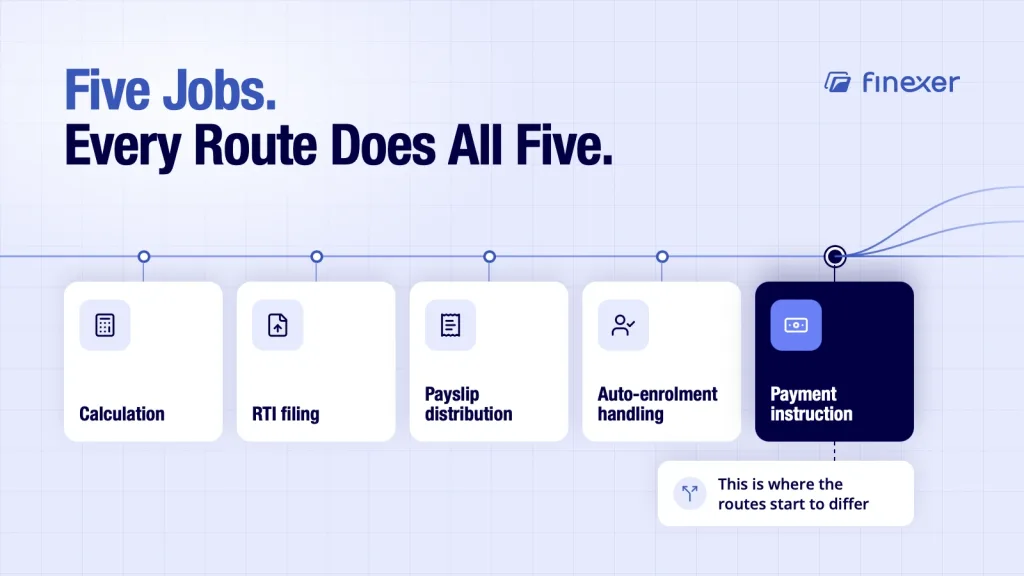
Strip away the marketing, and UK payroll processing covers five jobs, whoever performs them:
● Calculation: Gross to net, tax, National Insurance, pension deductions.
● RTI filing: Real-time information submitted to HMRC each pay run.
● Payslip distribution: To employees, for each pay run.
● Auto-enrolment handling: Assessing eligibility, managing opt-ins and opt-outs.
● Payment instruction: Telling a bank where the money needs to go.
That last one is where the routes start to differ. Some services stop at generating a payment file for the business to process. Others initiate the payment directly. Confirm which applies before you sign. It changes both how much control you have over timing and what you need to reconcile afterwards.
Who’s Actually Responsible to HMRC
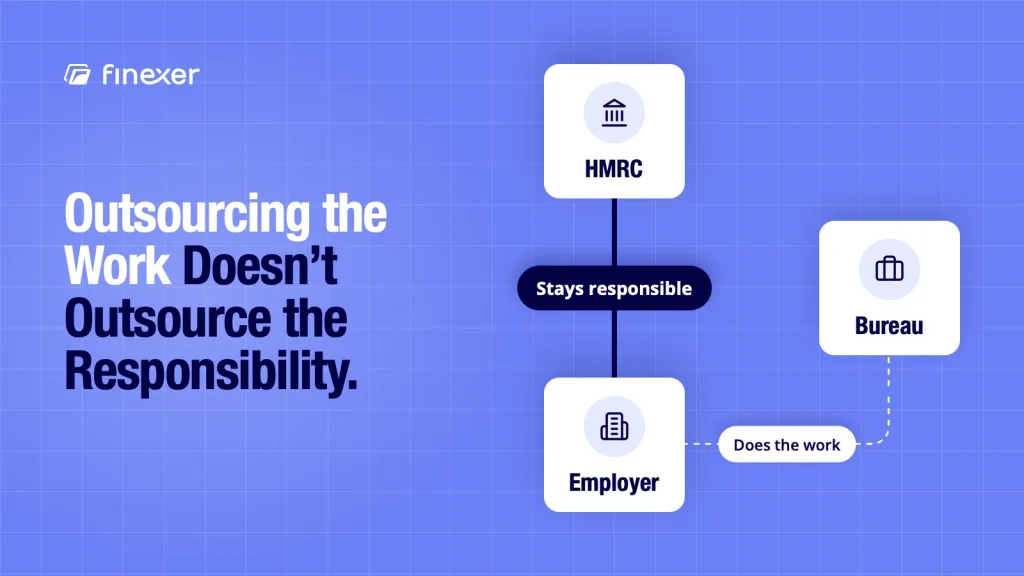
This is the part buyers most often get wrong: outsourcing UK payroll processing does not transfer legal responsibility. HMRC’s relationship is with the employer and not the bureau or software provider. If a bureau misfiles RTI or miscalculates a deduction, the employer is still the one HMRC contacts first.
That doesn’t make outsourcing a bad idea; it makes due diligence on the provider a genuine compliance step and not paperwork. Confirm your own obligations with HMRC or an accountant directly. This guide covers the operational picture and not a definitive compliance ruling.
Selection Criteria: What Actually Separates Providers
Once you know which route fits, put these questions to each provider:
● Is the payroll software HMRC-recognised? Check the official list on GOV.UK rather than taking the vendor’s word for it.
● What are the cut-off times? Find out how many days before each pay date the provider needs final data.
● How are corrections and re-runs handled? Ask what happens when someone spots a mistake after submission, and whether a re-run costs extra.
● What happens when someone joins or leaves mid-cycle? Check how the provider handles starters, leavers and final pay between runs.
● Can capacity and turnaround cope with peaks? If headcount rises seasonally, confirm the provider still meets your pay date.
● How do payment execution and reconciliation work? Ask whether the provider confirms that each payment landed, or whether you find out when an employee complains.
That last question catches out more businesses than pricing does. A provider that calculates correctly but leaves payment confirmation to guesswork moves the problem downstream into your payroll reconciliation.
The Payment Step: Instruction vs Execution
Whichever route handles calculation and filing, the payment itself still has to move and get confirmed. Some setups hand back a file for your team to process through the bank manually. Others can automate payroll payments directly, returning per-payment status so finance knows what landed and what didn’t, without waiting for an employee to flag a missing payslip.
This distinction matters more as headcount grows. A 10-person payroll run tolerates a manual file upload. A 200-person run, across multiple pay dates, doesn’t.
Where Finexer Fits
Finexer isn’t a payroll bureau and doesn’t calculate payroll. Whichever of the three routes a business picks, Finexer sits underneath it as the payment execution layer.
Through Finexer’s payments API, Finexer initiates each payroll payment and returns a per-payment status, so a failed payment shows up immediately rather than at month end.
Finance teams then use that status in their own payroll and accounting reconciliation; Finexer does not replace either. Bulk payouts let a business send a full pay run in one go. Finexer is FCA-authorised, FRN 925695.
That’s a narrow piece of UK payroll processing, and it’s worth being upfront about: if your priority is calculation accuracy or RTI filing, that decision sits with your software or bureau choice, not with the payment layer underneath it.
How much does UK payroll processing cost?
It depends on the route. Payroll software usually carries a subscription, while bureaus and managed services typically charge per payslip or per pay run, sometimes with extra fees for year-end, auto-enrolment or corrections. Ask each provider for a full quote at your headcount and pay frequency, including setup and re-run fees, before you compare.
How do I check if payroll software is HMRC-recognised?
HMRC publishes a list of recognised payroll software on GOV.UK. Check that any software you plan to use, or the software your bureau or managed service runs, appears on that list before you sign. A vendor’s own description is not a substitute for the official list, so confirm it yourself.
Can you switch your UK payroll processing provider mid-year?
Yes. You can move to a new provider at any point in the tax year. The new provider needs each employee’s year-to-date pay, tax and National Insurance figures so the next submission carries on correctly. Employees haven’t left, so the old provider should not issue P45s for the switch. Check HMRC’s guidance on changing payroll providers first.
See how Finexer executes payroll payments alongside whichever payroll route your business uses, with per-payment status throughout.
Explore with AI
About the Author

Ravi Ranjan
Ravi Ranjan is Co founder & CEO of Finexer